How to Use AI With Your Google Business Profile (Without Letting It Run Wild)

Key Takeaway
Learn what AI can do with a Google Business Profile, who can use Gemini, what needs human approval, and how to avoid ranking myths and bad automation.
AI is excellent at getting rid of the blank page. It is less excellent at knowing whether you close early on Friday.
Yes, AI can now help with real Google Business Profile work. Google's own tools can suggest a business description, and eligible people who own or manage only one verified profile may be able to connect it to Gemini. Gemini can help update information, draft review replies, create posts, summarize reviews, and answer performance questions. The connection is still rolling out, so you may not see it in your account yet.
Using AI is not a documented local ranking factor. The sensible model is a junior assistant with useful access and a responsible supervisor, not a marketing autopilot. Let it draft, organize, and summarize. Keep business facts, customer privacy, policy decisions, and the Publish button under human control.
The Short Answer: Let AI Help, Not Decide
A well-managed Business Profile needs accurate hours, services, contact details, photos, and customer communication. It does not need AI. AI is optional. Accuracy is not.
The safest way to use it is a five-stage workflow:
- Start with verified business facts.
- Ask AI for a bounded draft or analysis.
- Have a person check facts, policy, privacy, tone, dates, and links.
- Let an authorized person publish or approve the update.
- Measure relevant profile interactions over time.
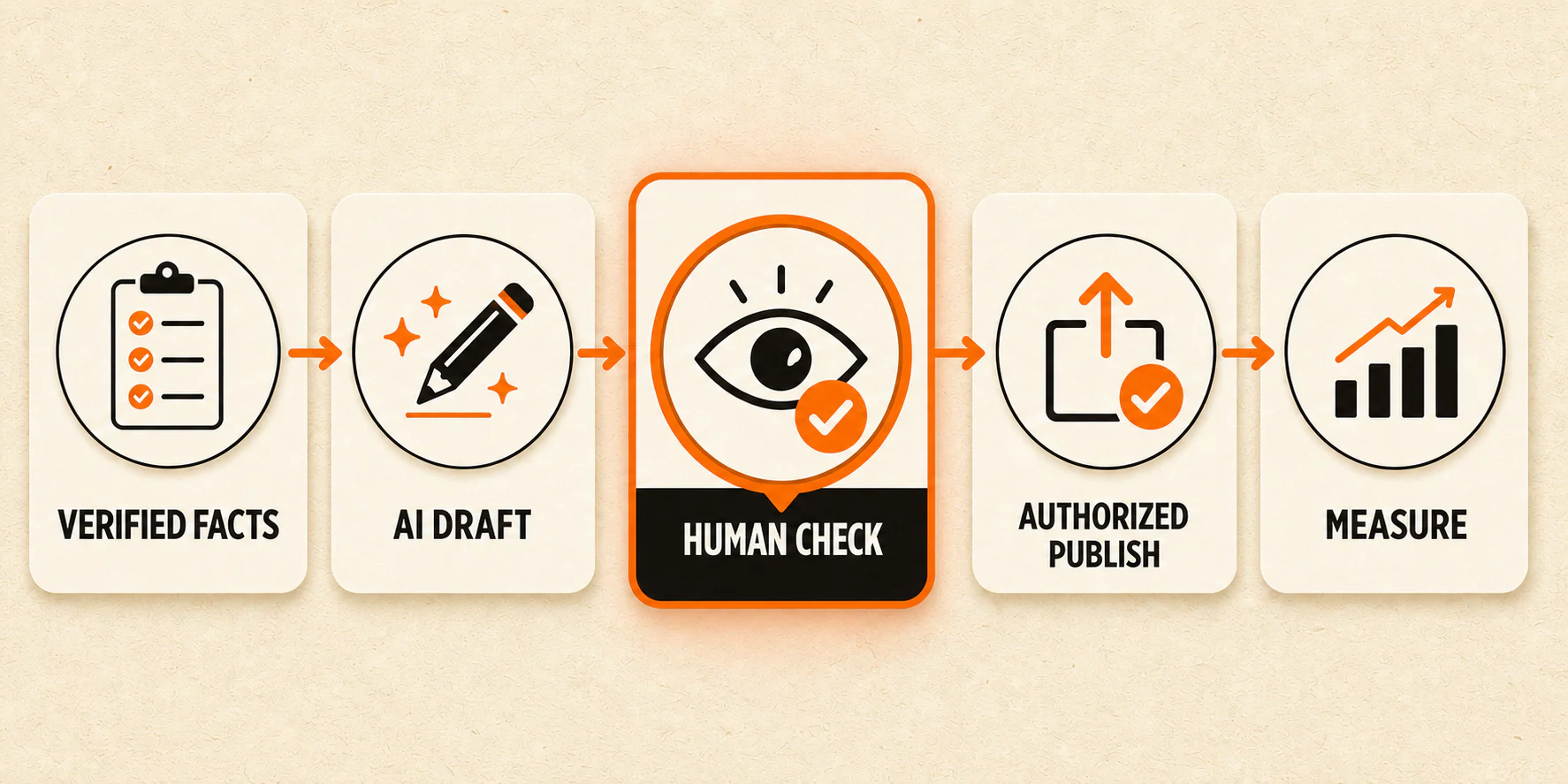
That may sound less thrilling than "turn on AI and dominate Maps." Good. Thrilling is a poor standard for deciding who gets to change your holiday hours.
What Google's AI Can Actually Do With a Business Profile
Two first-party options are especially relevant to a local business owner.
First, some eligible users can request an AI-powered Business Profile description. Google says the suggestion is based on information from the profile and other sources, such as the business website. It also tells the user to review the result for accuracy and edit it as needed. That last instruction is doing important work. A smooth paragraph can still include a service you stopped offering three years ago.
Second, Google is gradually rolling out a Business Profile connection in the Gemini web app. For eligible users, Gemini can help with tasks that include:
- updating profile information;
- drafting replies to reviews;
- creating, scheduling, and publishing posts;
- summarizing themes in reviews; and
- accessing profile performance information and search keywords.
Those are meaningful capabilities. They are also product-specific. Gemini having a documented connection does not mean every chatbot, writing tool, or browser extension can safely reach your profile. Access depends on the tool, the account, the permissions, and the path used to connect them.
Google's documentation says Gemini "can help" with these actions. This guide has not independently tested the connection, so treat the official documentation as the current product claim and check your own account before building a process around it.
Check Eligibility Before You Build a Workflow Around Gemini
The Gemini connection is currently rolling out gradually. For now, Google's stated requirements include all of the following:
- You are at least 18 years old.
- You own or manage only one verified Business Profile.
- You use a personal Google Account associated with that profile.
- Keep Activity is turned on for Gemini Apps.
- You use the Gemini web app.
- Your language and region are supported.
Currently, the connection is not available to someone who manages more than one verified profile or signs in with a work or school account. These limits are volatile. Check Google's current help page rather than turning this paragraph into office policy for the next five years.
If you are not eligible, the useful part of the workflow still works. Use a stand-alone AI tool to draft a reply, outline a post, or organize review themes. Then move the result into the Business Profile manually after a person reviews it. You lose the direct connection, not the ability to get help with the blank page.
The Three AI Tool Lanes Are Not the Same
"We use AI for our Business Profile" can describe three very different setups. Mixing them together is how sensible questions about permissions turn into vague promises about automation.
1. Built-in Google and Gemini actions
These are first-party features documented by Google. Examples include the description suggestion inside Business Profile and the current Gemini connection for eligible accounts. Their capabilities and limits are tied to Google's interface, eligibility rules, and profile permissions.
2. Authorized third-party integrations
Some platforms can work with Business Profiles through approved access and authorization. Their supported actions, safeguards, privacy practices, and prices vary. Do not assume a tool can publish just because its landing page can generate a convincing post draft.
The Google Business Profile APIs are developer infrastructure, not a casual add-on every owner needs. Access involves an approved Google Cloud project, OAuth authorization, policy requirements, and permission to manage the relevant profiles. For a single-location owner, the normal product interface may be the cleaner answer. For a multi-location team, an authorized platform can make sense, but governance matters as much as convenience.
3. Stand-alone drafting and analysis tools
A general writing or analysis tool can help with language, structure, brainstorming, or summaries when you give it appropriate inputs. Unless it has a documented, authorized connection, it cannot be assumed to read or update your Business Profile.
This lane is often enough. Copying an approved draft into the profile takes a minute. Repairing an incorrect service update that went live automatically can take considerably longer, especially after customers start calling about it.
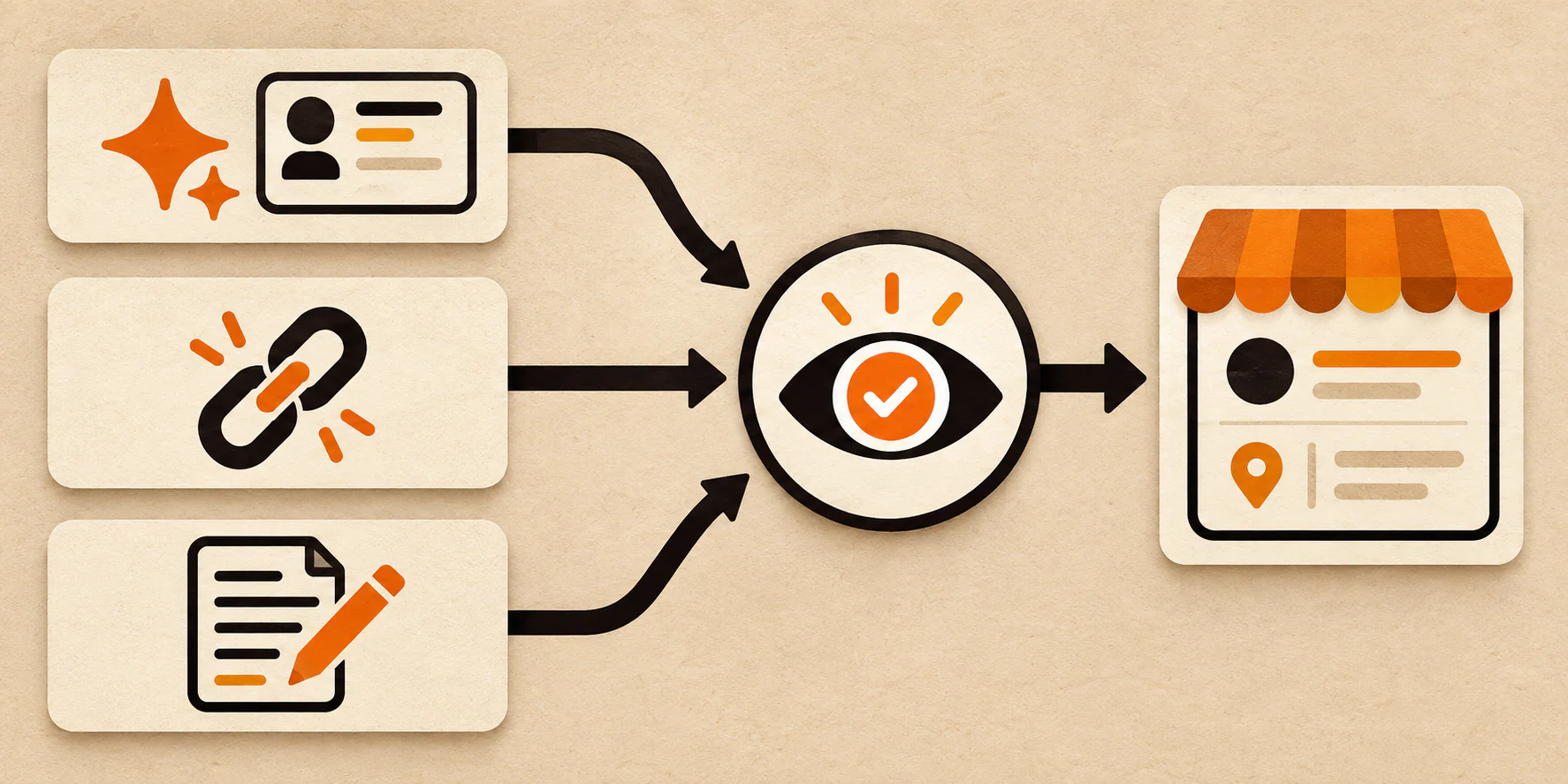
A Review-First Workflow for Every AI-Assisted Update
Consider a hypothetical bakery that will close at 2 p.m. on the Friday before a holiday and wants to publish a seasonal preorder post.
1. Verify the facts. The owner confirms the closing time, preorder deadline, available products, pickup window, and destination page. These facts come from the business, not from an AI guess based on last year's promotion.
2. Give AI a bounded task. Instead of asking, "Write a great holiday post," provide the verified facts, desired tone, maximum length, and intended action. Tell the tool not to add products, discounts, dates, or availability.
3. Check the draft. A knowledgeable person reviews every time, price, product, link, and claim. They also check the Business Profile post and media policy, confirm that the copy does not expose private information, and make sure it sounds like the business rather than a committee of enthusiastic robots.
4. Publish with authorization. The owner or another approved manager makes the hours update and publishes the post. If a connected tool can take the action, the same approval rule applies. Capability is not permission.
5. Measure what happened. Record the date and changes. Later, review the profile interactions that apply to the business. Do not declare that AI "caused" more calls because Gemini produced a tidy summary.
The failure point is usually not grammar. It is a polished wrong answer slipping past someone who assumed polished meant checked.
Five Useful AI Jobs for a Business Profile
Draft a description from verified facts
Create a short fact sheet with the real business name, category, services, service area, differentiators you can support, and language to avoid. Ask AI for a plain-language draft, then compare every sentence with the fact sheet.
Google's own suggestion feature can do some of this for eligible users, but Google still requires an accuracy review. A broader Google Business Profile optimization guide can help you fix the non-AI foundation before polishing the description.
Draft review replies without inventing context
AI can turn a blank reply box into a usable first draft. Give it the public review, an appropriate tone, and strict instructions not to invent details, identify a customer, discuss private records, or offer compensation.
Google's review guidance recommends replies that are concise, relevant, conversational, and protective of private information. Routine positive reviews may be a medium-risk drafting job. A negative review involving health, legal, billing, employment, or safety details belongs with a knowledgeable human approver.
Turn a real update into a post draft
Start with something that actually happened: a confirmed event, a new service, a temporary closure, or a specific offer with approved terms. Ask AI to shape those facts into two or three options. Then check dates, exclusions, destination links, policy compliance, and availability before publishing.
Do not ask it to make the offer "more exciting" without boundaries. That is how "appointments available this week" quietly becomes "same-day service guaranteed."
Summarize review themes as a starting point
Eligible Gemini users may be able to request review summaries through the connected profile. Other tools can summarize review text that you are authorized to use.
Treat the result as a reading aid, not customer-research truth. Check the underlying reviews, watch for a small or skewed sample, and avoid turning one colorful complaint into a trend. The summary can tell a manager where to look. It cannot decide what the evidence means on its own.
Brainstorm a real photo shot list
AI can suggest useful subjects for a photographer or staff member: the storefront, parking entrance, team, waiting area, equipment, finished work, or accessibility features. The business still takes and selects the photographs.
Use real, representative images. Synthetic premises, invented team members, fake before-and-after work, and decorative location proof are not shortcuts. They are ways to make customers doubt the profile you were trying to improve.
Match the Approval Level to the Risk
Not every AI-assisted task deserves the same approval process.
| Risk level | Examples | Sensible review |
|---|---|---|
| Low | Photo ideas, post topics, draft outlines | Quick human relevance check |
| Medium | Descriptions, routine posts, review-theme summaries, positive-review reply drafts | Fact, tone, privacy, and policy review |
| High | Hours, closures, menus, service availability, action links, offer terms, publishing, sensitive replies | Knowledgeable authorized approver before action |
The higher the customer consequence, the less room there is for "the tool probably got it right." Healthcare, legal, financial, and other regulated businesses may need additional review based on their own obligations. This article cannot determine those requirements for you.
AI Does Not Earn a Ranking Bonus
Google says local results are mainly based on relevance, distance, and prominence or popularity. Its guidance recommends complete, accurate information and explains that there is no way to request or pay for a better local ranking.
Using AI is not listed as a local ranking factor. AI may help a manager carry out legitimate work more efficiently, such as drafting an accurate description or organizing review themes. It cannot move the business closer to the searcher, turn an unsupported service claim into a fact, or make a weak website useful by sprinkling machine-written adjectives on the profile.
Accurate information, genuine reviews, representative media, and a useful website still matter to customers and to the broader local-search foundation. The tool used to prepare that work does not deserve the credit.
What to Measure After AI Helps
Google's Business Profile performance documentation says verified profiles may report metrics such as views, searches, website clicks, calls, direction requests, and bookings. Not every metric appears for every business.
Choose the interactions that match the task. A corrected appointment link should be checked as a working link first, then monitored alongside applicable website clicks or bookings. A holiday-hours update is successful when the right hours are published. It does not need a heroic attribution story.
When you compare periods, record material changes such as a new offer, altered hours, seasonality, website work, or an ad campaign. Search queries shown in profile performance cannot be directly managed. An AI summary can help organize the report, but it cannot prove why the numbers moved.
Quality matters more than output volume. Ten generated posts are not automatically more useful than one accurate update a customer actually needs.
What Not to Automate Blindly
Keep a person firmly in the loop for:
- business hours, temporary closures, and holiday schedules;
- services, prices, menus, stock, and availability;
- locations, service areas, attributes, and contact details;
- sensitive or negative review replies;
- offers with dates, exclusions, or legal terms;
- customer data or confidential business context;
- bulk publication across multiple profiles; and
- any copy promising a ranking outcome.
A generator can make these items sound finished. It cannot make them true, authorized, or appropriate.
A Small, Safe Place to Start
For your first week, choose one low- or medium-risk job. A routine positive-review reply or a post about a confirmed event is plenty.
- Create a verified fact sheet for that job.
- Write a short approval checklist.
- Ask AI for one bounded draft.
- Review and publish one output through an authorized person.
- Record what changed and watch the interactions that fit the task.
If reviews are the starting point, use a policy-safe process for getting online reviews rather than asking AI to script what customers should say.
You do not need a sprawling automation stack to learn whether AI saves useful time. Start where a mistake is easy to catch. If the profile, review process, website, and measurement setup all need attention, YEAH! Local's local SEO service can help connect the pieces.
Frequently Asked Questions
Can Gemini manage my Google Business Profile?
For eligible users, yes. Google's current documentation says the Gemini web app can connect to one verified Business Profile and help update information, draft review replies, create and publish posts, summarize reviews, and access performance information. Availability is still rolling out, and current account, age, language, region, activity, and profile-count requirements apply.
Can ChatGPT update a Google Business Profile?
Do not assume it can. A stand-alone ChatGPT conversation can draft or analyze content you provide, but direct profile actions require a documented, authorized connection or integration with the necessary profile permissions. Check the exact product and connection rather than treating the ChatGPT name as proof of access.
Does using AI improve local rankings?
Google does not document AI use as a local ranking factor. Its public guidance focuses on relevance, distance, and prominence or popularity, along with complete and accurate profile information. AI can assist the work. It does not create a ranking bonus.
Is it safe to use AI for review replies?
It can be safe as a drafting step when a person checks accuracy, privacy, context, tone, and policy before publishing. Sensitive or negative replies deserve a knowledgeable approver. Never feed confidential customer details into a tool without appropriate authorization and privacy controls.
What if I manage more than one Business Profile?
Google's current Gemini connection excludes people who own or manage more than one verified profile. You can still use stand-alone AI for drafting and analysis, or evaluate an authorized third-party platform designed for multi-profile management. Keep role-based permissions, review rules, and publishing authority explicit.
Last updated