Key Takeaway
Learn how to optimize a Google Business Profile with accurate information, useful details, authentic photos, compliant reviews, and honest measurement.
An optimized Google Business Profile is not a bag of ranking tricks. It is an eligible, verified profile that gives people accurate answers when they find your business on Google Search or Maps: what you do, where you serve, when you are open, and how to take the next step.
That distinction matters. Google says local results are mainly based on relevance, distance, and prominence, and there is no way to request or pay for a better local ranking. Complete, detailed information can help Google understand a business's relevance, but no checklist can guarantee a placement. Google's local-ranking guidance is a better foundation than any "rank #1" formula.
For most local businesses, the work is straightforward: get the facts right, complete the fields that genuinely apply, keep the profile useful for customers, and revisit it when the business changes.
Table of Contents
The short version
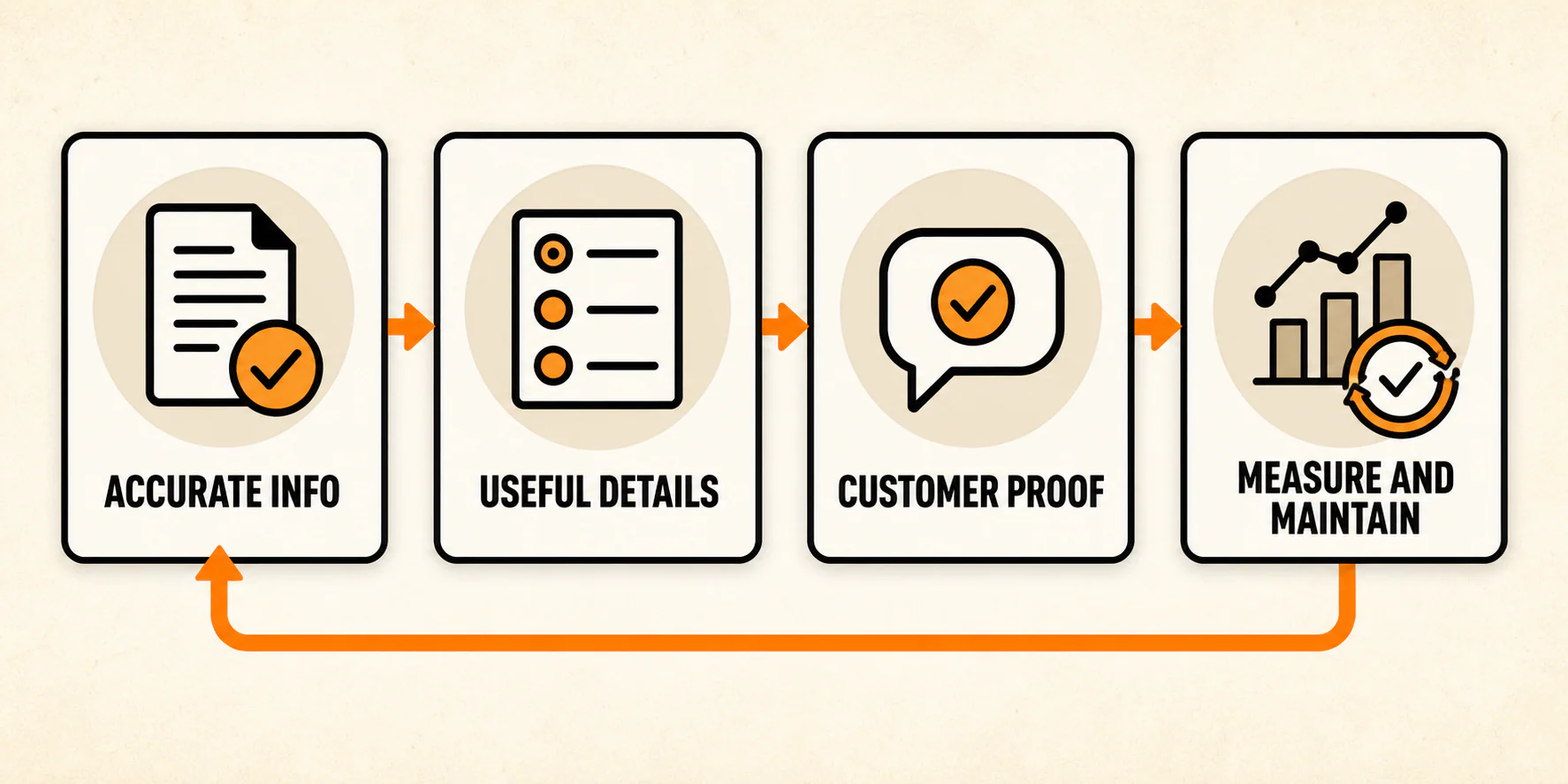
Use this order of operations:
- Confirm that the business is eligible, claimed, verified, and free of duplicate or access problems.
- Correct the basics: real-world name, address or service area, phone, website, and regular and special hours.
- Choose accurate categories, then add honest services, attributes, and description details where available.
- Add current, authentic photos and give genuine customers a simple way to leave honest feedback.
- Use posts, products, booking links, ordering links, chat options, and similar features only if they are available and useful for the business.
- Check Profile Performance as platform activity, not as a substitute for lead, appointment, or revenue tracking.
- Maintain the profile when facts change instead of following a made-up activity schedule.
Before you optimize: confirm that you have the right profile
Start by searching Google Maps and Search for the business. The goal is to identify the existing profile, not to create an extra listing because the first search result looks incomplete. Google's general rule is one profile per business, with separate profiles for legitimate locations and other eligible entities where its guidelines allow them.
You also need the right access. A verified owner can edit a Business Profile on Google Search or Maps, but the available controls can differ by surface, device, category, eligibility, and region. Use Google's current instructions to edit a Business Profile instead of relying on an old dashboard tutorial or screenshot.
Before moving on, check these basics:
- Is the business eligible? Google's policy is built around businesses that either serve customers at a physical location or travel to customers where they are.
- Does the profile represent the business's real-world name, without extra services, cities, slogans, phone numbers, or keywords?
- Is the person making changes an owner or manager with authority to do so?
- Is the profile verified, or is verification still the first blocker to resolve?
- Does each legitimate location have the correct profile, without duplicates trying to cover the same operation?
If there is an ownership dispute, a suspension, an unexpected duplicate, or a location that may not meet Google's rules, pause the optimization work. Changing categories, photos, or posts will not solve a policy or access problem. This is the step most likely to derail everything that follows.
Storefront and service-area businesses need different location details
A storefront that receives customers during its stated hours should use its precise, real-world address. A mailbox, P.O. box, or virtual office is not a substitute for an operating location. If the business serves customers at their locations and does not receive them at its own address, it should use a service-area setup and hide its address from customers.
Google's business-representation guidelines explain the difference in detail. A hybrid business may show an address and a service area when it genuinely serves customers at that staffed location as well as off-site. The point is accuracy, not trying to stretch a profile across every market the business would like to reach.
Step 1: Fix the non-negotiable business information
Do this before writing a description or collecting another photo. A customer who finds an old phone number, wrong hours, or a misleading location has a practical problem right now. A polished profile cannot make up for it.
Review the following fields against the business website and the real operation:
- Business name
- Address, or a hidden address and accurate service area when appropriate
- Primary phone number and website
- Regular customer-facing hours
- Special hours for holidays, seasonal changes, events, or temporary changes
Keep the name as it appears in the real world. Google's policy specifically says additional information such as services, hours, addresses, and categories belongs in the appropriate fields, not in the business name. Avoid treating minor formatting differences between every web listing as a mysterious "NAP penalty." The useful standard is simpler: customers and Google should be able to identify the same business and reach the right place.
Before moving on, call the listed number, open the website on a phone, and compare the next two weeks of public hours with the actual schedule. For a service-area business, confirm that the customer-facing address is hidden if customers do not visit it.
Step 2: Choose categories that describe the business, not a wish list
Categories help Google and customers understand what the business is. Start with the most specific category that describes the core business. Add another category only when it accurately describes what the business is, rather than a service, product, amenity, nearby business, or search phrase you hope to capture.
Google advises businesses to use as few categories as needed to describe their overall core business. Its practical test is useful: a category should complete "This business is a ...," not "This business has ...." Choosing a category can also affect which optional profile features become available, so get this right before spending time on fields that may not apply.
Read each selected category as a customer would. If it describes a product, a convenience, an aspiration, or another company rather than your organization, remove it. If you have distinct staffed locations, decide who owns each profile and which services belong to that location. Do not pile unrelated categories onto one profile.
For a multi-location example, see our primary care case study. We connected each office's local presence with its service information and call tracking.
Step 3: Complete the fields customers can actually use
Once the identity is right, make the profile more useful without turning it into an advertisement disguised as data. Not every profile has the same fields. Use the options that help customers understand and contact this business, and skip fields that do not appear or do not fit.
Write a clear, honest description
Use the description to explain the services or products offered and, where helpful, the business's mission or history. Keep it plain: what the business does, who it serves, and an honest detail that helps a customer decide whether to learn more.
Google's policy says descriptions should be relevant and useful; they should not include links or focus on special promotions, prices, or sales gimmicks. Its profile guidelines are the source of truth here. There is no reason to force a city name into every sentence or write to a keyword count. Clear information is the assignment.
Add services and attributes when they are available
If the Services section is available for the category, add the services the business actually provides. A short, accurate service list is better than a sprawling inventory of loosely related work. Google supports suggested and custom services in applicable categories, subject to its content rules; see its services guidance for the current workflow.
Attributes can answer useful questions about accessibility, amenities, ownership, or available options. They are not universal. Availability can vary by category, country, and location, and some attributes may reflect customer input. Mark only what is true and visible for that profile; do not try to recreate an attribute list from another business. Google's attributes guidance explains those limits.
Products, menu details, booking links, ordering links, and other action paths are also conditional. Add one only when it is available, current, and routes a customer to the correct next step. A broken booking link or a stale product entry creates more friction than an omitted optional field.
Now read the profile as someone who has never heard of the business. Can they tell what it does, whether it serves their need, and where to get the next reliable detail? If a field asks the business to exaggerate, guess, or repeat itself, leave it out.
Step 4: Add photos that make the business easier to recognize
Photos are customer information. Use current images that help someone recognize the storefront, understand the environment, see the team at work, or inspect the products or services offered. For a service-area business, job-site or vehicle photos may be more informative than an address that customers will never visit.
Favor authentic, well-lit images over stock-photo filler. Remove or replace images that no longer represent the business: old branding, former staff, a moved location, discontinued products, or work that would now mislead a customer.
There is no evidence-based universal photo count, upload frequency, or fixed image recipe that fits every business. Add and refresh media when it answers a customer question or reflects a meaningful change. Google recommends photos and videos as a way to show what a business offers; it does not turn every upload into a ranking guarantee.
Ask whether a first-time visitor could use the photos to recognize the location, the experience, or the work. If not, choose a more useful image instead of adding more of the same.
Step 5: Build a review workflow that stays credible
Reviews are public customer feedback, not an inventory target. Make it easy for real customers to share an honest experience after a genuine interaction. A simple request in an appropriate follow-up message can work; the request should not pressure people, steer only happy customers to Google, or offer a discount, gift, contest entry, or other incentive in exchange for a review. Google spells out those rules in its review guidance and prohibited-content policy.
Keep a process for reading and responding to feedback. A public reply is not the place to argue a case, reveal appointment details, name a customer, or disclose other personal information. Google recommends constructive replies and specifically advises protecting privacy when responding to negative reviews.
A sound operating pattern looks like this:
- Ask for honest feedback after real service or a real purchase.
- Give the customer a straightforward path to leave a review; do not filter requests by likely rating.
- Thank positive reviewers without turning the reply into a sales pitch.
- For a negative review, acknowledge the concern when appropriate, keep the response factual, and invite private contact through an approved channel without confirming sensitive details.
- Flag content that appears to violate Google policy, but do not assume a review will be removed simply because it is unfavorable.
The process is ready when someone other than the owner can follow it without improvising incentives, filtering customers, or exposing private information.
Step 6: Use updates and optional features for a real customer need
Business posts, Q&A, product modules, booking buttons, ordering links, text or WhatsApp contact, and similar features can be useful when they answer an actual question or support a real next step. They are not mandatory, and availability varies by category, market, device, and account.
Use an update when there is something current to communicate: a seasonal service, an event, a changed process, a new menu, or an operational update customers need. Google's current post guidance covers the available post types and controls. Use Q&A to correct useful, recurring information only where that feature is available and manageable. Use booking, ordering, text, or WhatsApp only when the destination is accurate and the business can fulfill what it offers.
Do not create a fixed "post every week" rule just to look active. A stale or generic update is not customer service. Ask whether the feature removes a real question, confusion, or step for someone considering the business.
Some legacy instructions do need to go. Google removed its old built-in Business Profile chat and call-history features in 2024, although eligible profiles may now offer text or WhatsApp contact. New short-name creation is also no longer supported. Skip tutorials for the retired chat inbox, quote requests, short-name setup, old marketing-kit tools, and app-only workflows from a different version of the product.
For every optional feature, require a clear customer purpose, an accurate destination or answer, and someone responsible for updating it when facts change.
Step 7: Review Performance, but keep measurement honest
Google's Performance reporting can show available activity such as views, searches, and interactions for verified profiles. The exact metrics and controls can vary, and Google notes that the data includes activity from organic Search and Maps as well as Google Ads. See Google's Performance documentation before interpreting a screen or comparing date ranges.
That is useful context, but it is not a qualified-lead, appointment, patient, sale, or revenue report. A website click does not establish what happened after the click. The Calls metric counts call-button clicks; it does not establish whether a caller was a good prospect, a vendor, a wrong number, or an existing customer.
If lead quality matters, compare profile activity with the business's own evidence: call handling, form submissions, bookings, CRM stages, or another appropriate measurement process. You will need separate call, form, booking, or customer records for that answer; GBP Performance cannot provide it on its own.
Whenever you report a number, label what it actually measures, the date range, and what it does not establish.
A maintenance loop that follows the business
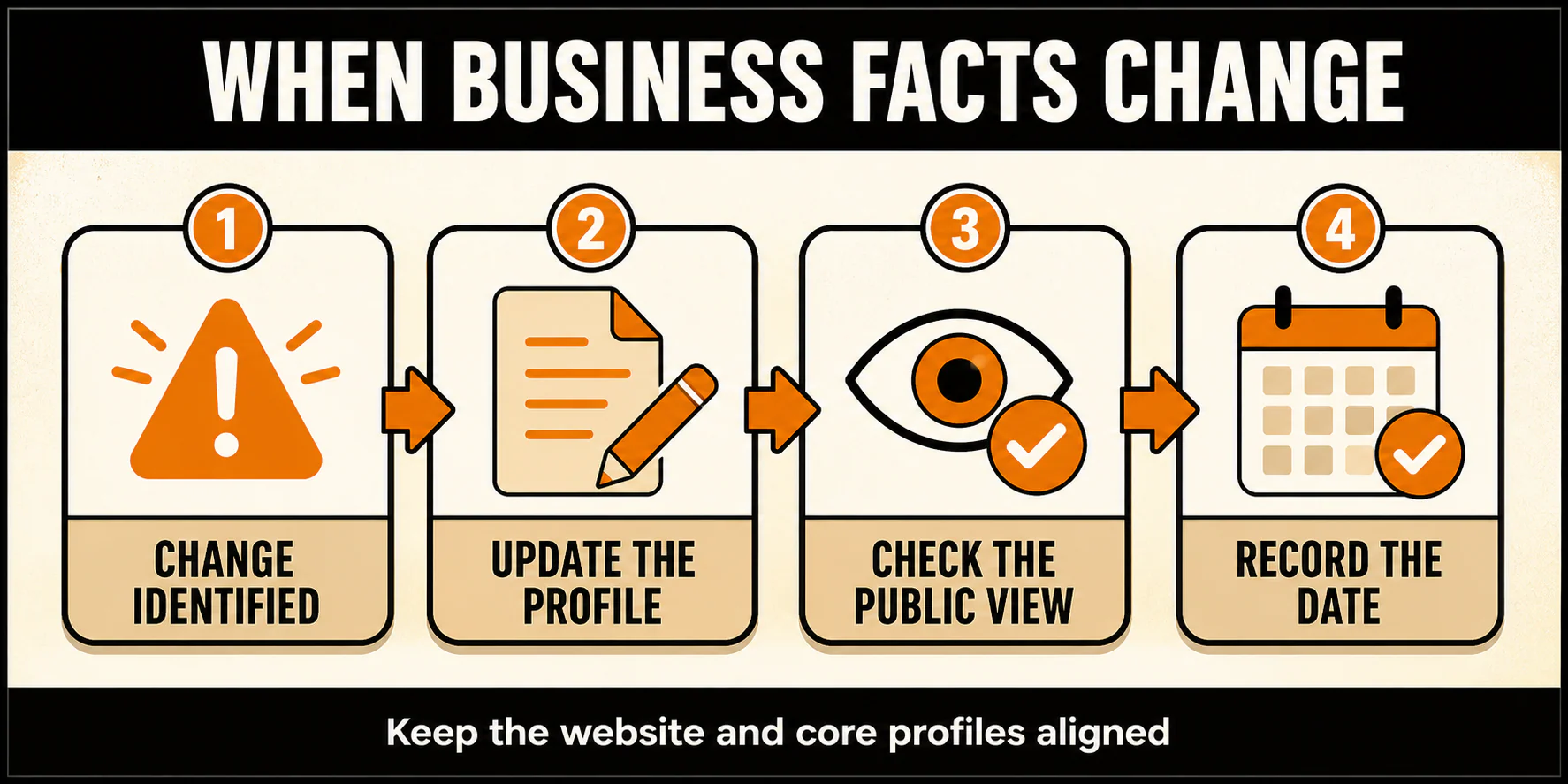
Optimization is ongoing because businesses change. A profile does not need ritual activity; it needs prompt, truthful updates when the underlying operation changes.
Use this practical loop:
- Update hours, special hours, phone numbers, website destinations, locations, service areas, services, and customer instructions when they change.
- As feedback arrives, respond where a useful and privacy-safe reply is possible. Recurring questions may expose an information gap worth fixing.
- Refresh photos when they no longer show the location, team, work, or offer accurately.
- Periodically review Performance alongside the business's own conversion evidence, then investigate unusual changes before making a causal claim.
Check the website at the same time. The Profile and the site should not send customers to conflicting hours, services, locations, or contact paths.
Common Google Business Profile mistakes to avoid
- Adding cities, services, taglines, or keywords to the business name when they are not part of the real-world name.
- Using a virtual office, mailbox, or unstaffed location as though it were a customer-facing storefront.
- Creating duplicate profiles for one location or using a false service area to reach farther away.
- Selecting categories because they contain desirable keywords rather than because they describe the business.
- Adding every optional field without checking whether it is accurate, eligible, or useful.
- Buying reviews, offering incentives, filtering requests for only satisfied customers, or making public replies that expose private details.
- Letting holiday, seasonal, or temporary hours become stale.
- Treating old instructions for the retired chat inbox, quote requests, short names, or a legacy dashboard as current.
- Calling views, clicks, or interactions "qualified leads" without separate evidence.
When to do it yourself and when to bring in help
A single-location business with clear ownership and straightforward operations can usually handle routine profile upkeep in-house. The work is primarily accurate information management and a sensible response process.
Get qualified local-search help when the problem is harder than a normal edit: ownership conflicts, suspensions, policy questions, several locations that need one consistent owner and process, unclear service-area eligibility, duplicate cleanup, broken tracking, or a gap between profile activity and the leads the business actually receives.
If that is your situation, YEAH! Local's local SEO services can help you assess the profile, site information, and measurement path together. Good local-search help should leave you with a trustworthy local presence that customers can understand and your team can maintain. It should never promise a particular position.
Last updated