
Key Takeaway
Learn how to advertise on Google Ads with a current, practical setup process for goals, tracking, Search campaigns, keywords, budgets, ads, and optimization.
Getting a Google Ads campaign live is easy. Getting calls and forms from people you can actually help takes more work. Before you pick keywords, decide what kind of inquiry is worth paying for, make sure the phone or form works, and give that person a page that answers the same service question as the ad. For many local service businesses, a narrow Search campaign is a sensible place to start. Picture one HVAC repair service, the towns the team really covers, and one page built for that need. Search is not the answer for every account, but it gives a new campaign a clear question: are people searching for this service becoming useful inquiries?
Table of Contents
1. Decide what a qualified conversion is before you build the campaign
Start with the business event you would be glad to pay to create. For a local service company, that might be a phone call that meets basic service and location criteria, a completed contact form, a booked consultation, or an online purchase. A form submission that contains spam, a job seeker, or someone outside the service area may still appear in a platform report, but it is not the same thing as a qualified opportunity.
Write down one primary conversion for the first campaign and a few secondary observations. In Google Ads, primary conversion actions are used for bidding when their goal is included in the campaign, while secondary actions are observation-only. A click-to-call, form start, or page engagement event may be useful for diagnosing the journey without becoming the main definition of success. Someone still needs to review whether the recorded inquiries were real opportunities. Google Ads Help: About primary and secondary conversion actions
Google's documentation describes using the Google tag for Google Ads conversion tracking. The exact implementation should fit the site, consent requirements, and how your business receives leads. If GA4 is part of the measurement setup, make sure the Google Ads goal still corresponds to the event you actually want to optimize. Test the phone and form path yourself before you spend. Google Ads Help: Use the Google tag for Google Ads conversion tracking
A first-launch measurement checklist
Before campaign creation, confirm the following:
- You can access the Google Ads account, billing details, website, and any tag-management or analytics tools involved.
- One meaningful conversion is defined, and the phone, form, or booking path has been tested on a real device.
- The landing page states the service, the geography, and a clear way to contact you.
- Privacy, consent, and category-specific obligations have been considered.
- The business can answer inquiries during the hours the ads may generate them.
- The service area is real and specific enough to guide targeting and lead review.
If any of those items is unresolved, pause there. Better keyword research cannot compensate for a broken form, an unanswered phone, or a conversion goal that rewards the wrong action.
When the first report arrives, do not stop at “How many leads did Google Ads produce?” Ask which inquiries were for the right service and area, whether the team responded, and how many booked. That is the difference between a busy dashboard and a campaign that helps the business.
2. Build One Service Campaign You Can Understand
Google lists Search, Display, Video, Shopping, Demand Gen, App, Smart, and Performance Max among the campaign types in its current creation guidance. A campaign type determines where ads can appear and comes with its own setup and best practices. Google Ads Help: Create a campaign
Ask a simple question: are people already searching for this service? For the HVAC repair example, Search lets the owner connect phrases about AC repair with an ad about AC repair and a page about AC repair in the towns the company serves. When an inquiry arrives, the search-term report helps show what the person actually typed.
Performance Max reaches across Google channels and relies more heavily on automation. It becomes easier to judge when the account already knows which calls or forms matter and the business has useful creative and landing pages. It cannot make a weak lead definition useful. Google Ads Help: About Performance Max campaigns
If you are deciding how Search and Performance Max might work together after the fundamentals are in place, read our guide to using Search and Performance Max for qualified local leads. Start with the campaign type that gives you a manageable first question, then add complexity only when you can measure it.
Choose the service, area, and page
The first campaign does not need to advertise the whole company. Keep following the HVAC example: one repair service, the towns the team really covers, one useful repair page, and a budget the owner can sustain while learning. Mixing repairs, installations, commercial work, and every nearby market would make the ad vague and the first report hard to read.
That restraint helps in two ways. It makes the message clearer to a searcher, and it makes the eventual data easier to interpret. When unrelated services, locations, and offers are bundled together, it becomes difficult to tell whether a weak result came from the query, the ad, the page, the location, or the business offer.
Before you open the setup flow, write down the service, service area, page URL, conversion, lead owner, and why you chose this service first. Keep that note nearby. It is useful when an automated recommendation or one disappointing day tempts everyone to change direction.
Set geography with the actual operating area in mind. Google's default option can include people in or regularly in a target area as well as people who have shown interest in it. If the business only wants people likely to be in or regularly in the service area, choose the presence option and confirm the wording shown in the current account. Google Ads Help: About advanced location options
Language, schedule, network, device, and brand settings can matter, but they are not a reason to turn a first campaign into a maze of adjustments. Use the settings that change who can reasonably respond to the offer. Record the opening configuration and the reason for it so a later change has context.
Use keywords to describe the search you want
A keyword tells Google which searches you want to consider. A search term is what the person actually typed. Use the search-term report to see where those searches drifted away from the work you want.
Google currently describes broad, phrase, and exact as keyword matching options, with broad match as the default. Matching uses meaning and context rather than a literal-word-only rule. Negative keywords exclude terms from matching. Google Ads Help: About keyword matching options
Start with a readable set tied to the service. Add negative keywords for obvious mismatches such as jobs or training, then read the actual search terms. Expand when the new searches produce inquiries the team wants; tighten when they repeatedly bring the wrong need or location.
For example, a local HVAC repair campaign might organize its early thinking like this:
| Query pattern | What it may indicate | Practical response |
|---|---|---|
ac repair near me | A person looking for the priority service | Consider a closely aligned keyword, ad, and repair landing page. |
how to fix air conditioner | Research or DIY intent | Review it against the business goal before spending more to reach it. |
HVAC jobs or HVAC training | Employment or education interest | Consider these as negative-keyword candidates if the business does not want those searches. |
Keep updating negative keywords as you review actual search terms and the words that matter to your offer. A term that is irrelevant for one service can be useful for another, so keep the decision tied to the campaign's real purpose.
Do not confuse a longer keyword list with a stronger campaign. A small set that maps cleanly to one service page is easier to audit than a sprawling list full of near-duplicates and loosely related ideas. As you find relevant search terms, decide whether they deserve their own service group, a new page, a negative keyword, or no action at all. That is a more useful decision than adding every phrase that appears promising at first glance.
Make the ad and page answer the same need
For a Search campaign, Google's setup guidance describes text ads on search results; the current product also uses the term assets for supporting ad components. The available choices can vary, so avoid building your process around a screenshot or a field count that may soon change. Google Ads Help: Create a campaign
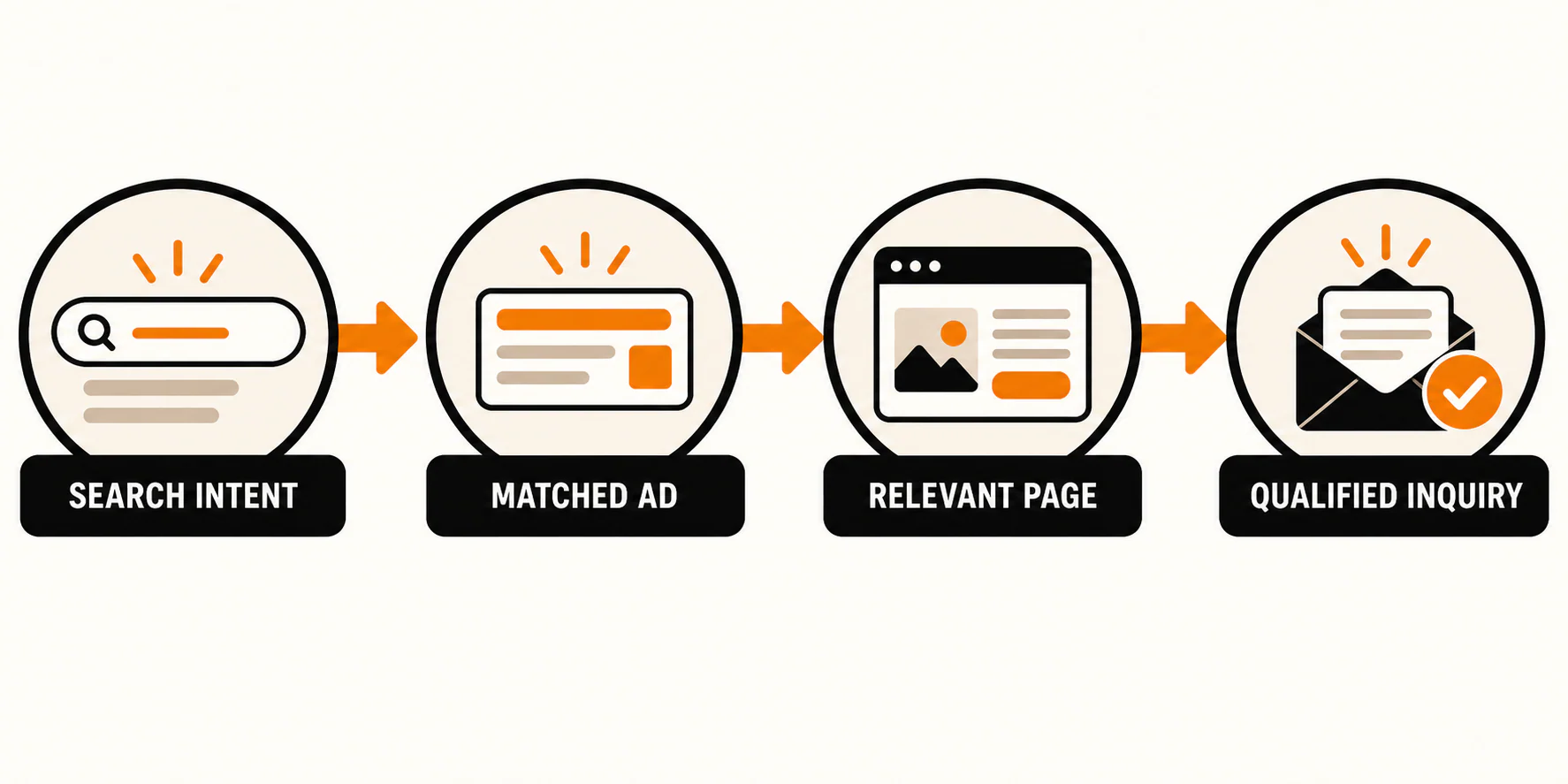
Instead, make the ad and the page answer the same request. A search for "water heater repair in Richmond" should lead to an ad and page that clearly address water heater repair, serve Richmond if that is true, offer relevant proof, and make the next step visible. The visitor should not have to return to a generic homepage and hunt for the service they thought they were clicking.
Keep claims supportable. Avoid unsupported "best," "lowest price," or outcome guarantees, especially in categories where an offer, credential, or policy claim needs careful review. Google's advertising policies apply to ads and their destinations, and disapprovals or compliance questions deserve attention before launch as well as afterward. Google Ads Policies Help
A helpful ad usually gives the reader enough information to self-select. Name the service. State the relevant location only when it is accurate. Use a real differentiator or proof point that the page can support. Then offer an appropriate next step, such as calling, requesting service, or booking a consultation. The page should repeat the core promise in plain language, answer the obvious questions, and make the contact route easy to find. That does not make the campaign a guaranteed winner. It does keep the visitor from clicking an ad for one thing and landing on a page about something else.
Before approving an ad, ask whether it prepares the right person for the page they will see.
3. Set a Budget, Launch, and Read the Leads
Choose a daily budget the business can afford while it learns. It needs enough room to reach relevant searches, but no budget buys a guaranteed number of good leads.
Automated bidding can be useful, but it is only as sensible as the goal and conversion information behind it. If a campaign optimizes toward an easy-to-trigger event, it may learn to find more of that event rather than more of the inquiries your team wants. Be cautious with aggressive efficiency targets when the account has little reliable conversion history. Change the budget, targeting, bid approach, and landing page all at once and you will have a much harder time understanding what changed the result.
Google's bid, budget, and target simulators provide estimates based on the selected inputs. Use them to explore scenarios, not as forecasts of revenue, cost per lead, or business performance. Google Ads Help: Estimate results with bid, budget, and target simulators
Keep a short record of the starting budget, bid approach, conversion goal, and the date each material change goes live. It will make later reviews more honest. A jump in form volume after a landing-page change, for example, may reflect better relevance, a tracking change, lower-quality submissions, or several things at once. The record does not solve attribution, but it stops the account history from becoming guesswork.
Before the ads go live
Before publishing, walk through the campaign as the owner paying for it. Google's setup notifications can point to targeting, bidding, budget, or other issues, but the platform does not know whether the phone will be answered or the page keeps the promise in the ad. Google Ads Help: Create a campaign
- Billing and account access are confirmed.
- The primary conversion is meaningful and has been tested.
- The campaign type matches the immediate job.
- The priority service and service area are explicit.
- Network and location choices have been reviewed for relevance.
- Keywords, matching choices, and initial negative keywords have been checked.
- Ads and assets match the service and the destination page.
- The landing page, phone number, form, and confirmation path work.
- Policy-sensitive claims and the destination have been reviewed.
- Budget and bidding choices match the conversion goal and learning plan.
- Campaign naming and launch notes make the starting state easy to recover.
After the first inquiries arrive
At the first review, make sure the campaign is actually working: no unresolved disapprovals, spend is pacing as expected, conversions fire, and the contact path still delivers. Then look at the searches, locations, page behavior, and actual inquiries. A working campaign is only the starting point; the calls and forms still have to be useful.
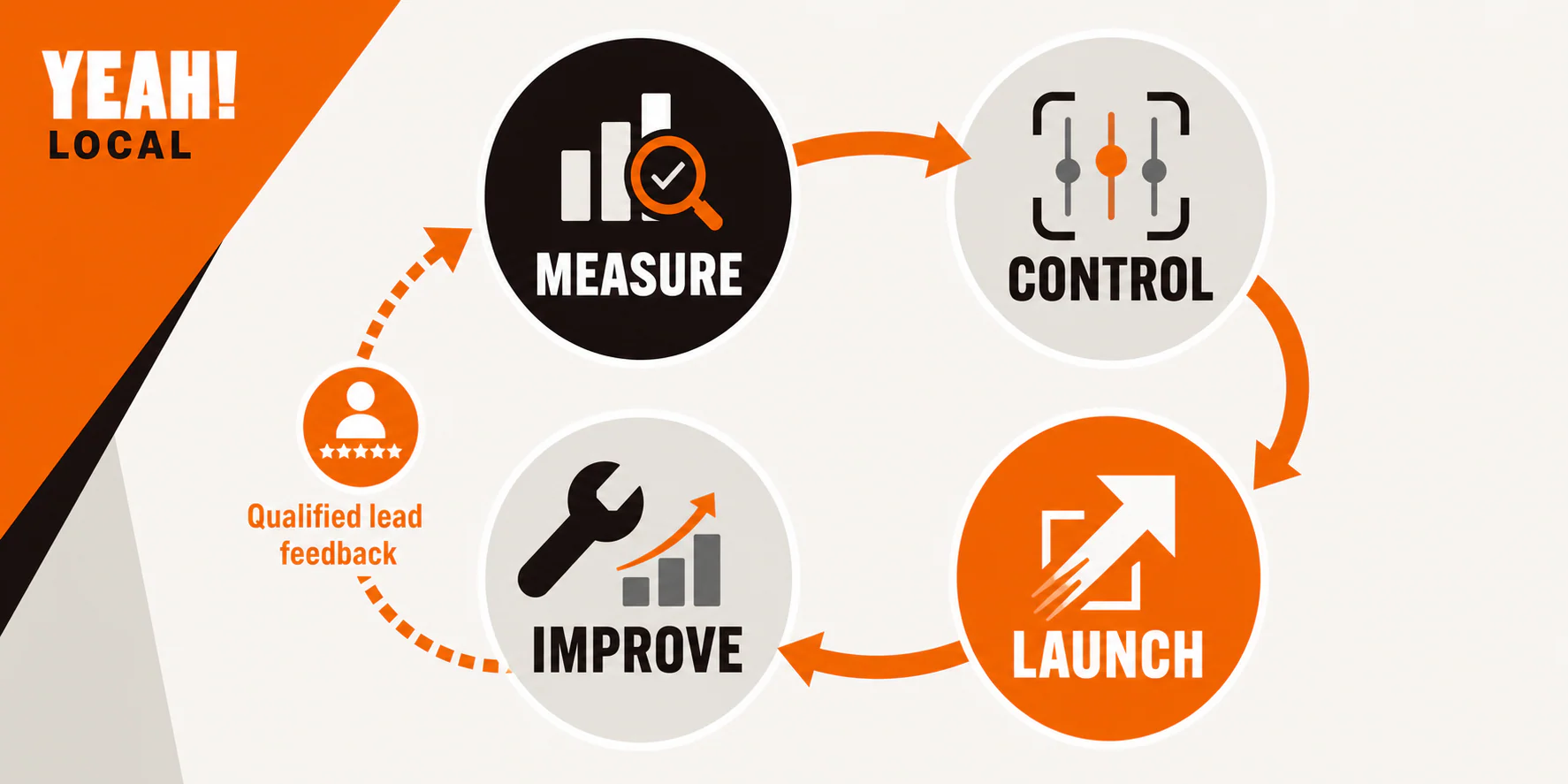
A Google Ads conversion count is a useful platform measurement. It does not automatically count qualified leads, booked jobs, or revenue. Bring feedback from the person answering calls or reviewing forms back into campaign decisions. If the lead-quality signal is missing, that is a measurement problem to solve, not a reason to blindly increase spend.
As the account accumulates enough information to support a decision, make one meaningful change at a time when practical. You might add a clearly irrelevant negative term, tighten a service grouping, revise a mismatched page section, or test a focused ad message. Use an experiment when the account and traffic can support one. Avoid daily panic edits, and do not let automation run without a person checking the business consequences.
Common Google Ads mistakes
Most costly early mistakes are planning and measurement problems rather than obscure platform tricks.
- Launching before conversion testing: a campaign can spend while its form, phone number, or tracking signal is broken.
- Optimizing for an easy action: a low-value page view or unqualified form can make a report look active while failing the business goal.
- Mixing unrelated services and locations: this weakens the message and blurs the learning signal.
- Ignoring search terms and negatives: matching is contextual, so actual-query review remains part of responsible management.
- Sending traffic to a mismatched page: a generic destination can make the visitor repeat the work they already did in the search.
- Treating every recommendation or automation prompt as an instruction: check whether it supports the defined conversion and business constraints.
- Changing several major controls at once: you lose the ability to connect a result to a decision.
- Counting leads without checking quality: the business needs a feedback loop, not a volume-only dashboard.
DIY or hire help?
DIY can work when the campaign covers one service and area, the budget is modest, and someone will test tracking, read search terms, and ask what happened to the leads. Bring in help when the spend would hurt if wasted, tracking is unclear, the category has stricter rules, campaigns overlap, or nobody has time to review the calls and forms. Those problems get more expensive as the account expands.
If you want an experienced partner to help build and manage that system, explore YEAH! Local's pay-per-click advertising services.Frequently asked questions
How much should a small business spend on Google Ads?
There is no responsible universal number. Start from what the business can afford to learn from, the value of a qualified opportunity, competition in the market, and the ability to track and follow up on leads. A simulator can provide estimates from selected inputs, but it is not a business-result guarantee.
Is Google Ads worth it for a local business?
It can be worth testing when people search for the service, the business can serve the chosen area, and the team can measure and follow up on inquiries. Whether it is worthwhile for a specific business depends on demand, competition, the offer, budget, landing-page quality, and lead handling. Start small enough to learn from the searches and inquiries before you expand.
Should a beginner use Search or Performance Max?
For many local service businesses, a narrow Search campaign is a clearer first learning environment because it centers on service-intent searches and readable query feedback. Performance Max can be a fit when the business has strong conversion inputs and relevant assets, but its automated cross-channel reach does not eliminate the need for measurement and lead-quality review.
How long does it take Google Ads to work?
There is no fixed timeline that applies to every account. Review basic functionality first: policy status, spend pacing, conversion firing, relevance of search terms and locations, landing-page behavior, and lead quality. Give changes enough time and context to evaluate them rather than making repeated reactive edits.
Do I need a landing page for Google Ads?
You need a destination that answers the promise of the ad and gives the visitor a clear next step. That may be a dedicated landing page or a strong existing service page. A generic homepage is a weak choice when it makes the visitor search for the specific service again.
What is the difference between a keyword and a search term?
A keyword is the targeting input you choose in Google Ads. A search term is the query a person actually entered. Reviewing the difference helps you refine relevance and identify negative-keyword candidates.
Last updated