Google Ads Location Targeting for Local Businesses: Presence vs. Interest

Key Takeaway
Learn when local Google Ads campaigns should use Presence vs. Interest, then audit networks, goals, bidding, budgets, schedules, devices, audiences, and tracking.
A home-services company can target the right metro in Google Ads and still get calls from people it cannot serve. The city, ZIP code, or radius is only the first geographic choice. The setting underneath it decides whether Google should focus on people in or regularly in the area, or also consider people who have shown interest in it.
Our painting and flooring case study shows how service-area coverage, paid search, and local visibility worked together for one contractor.
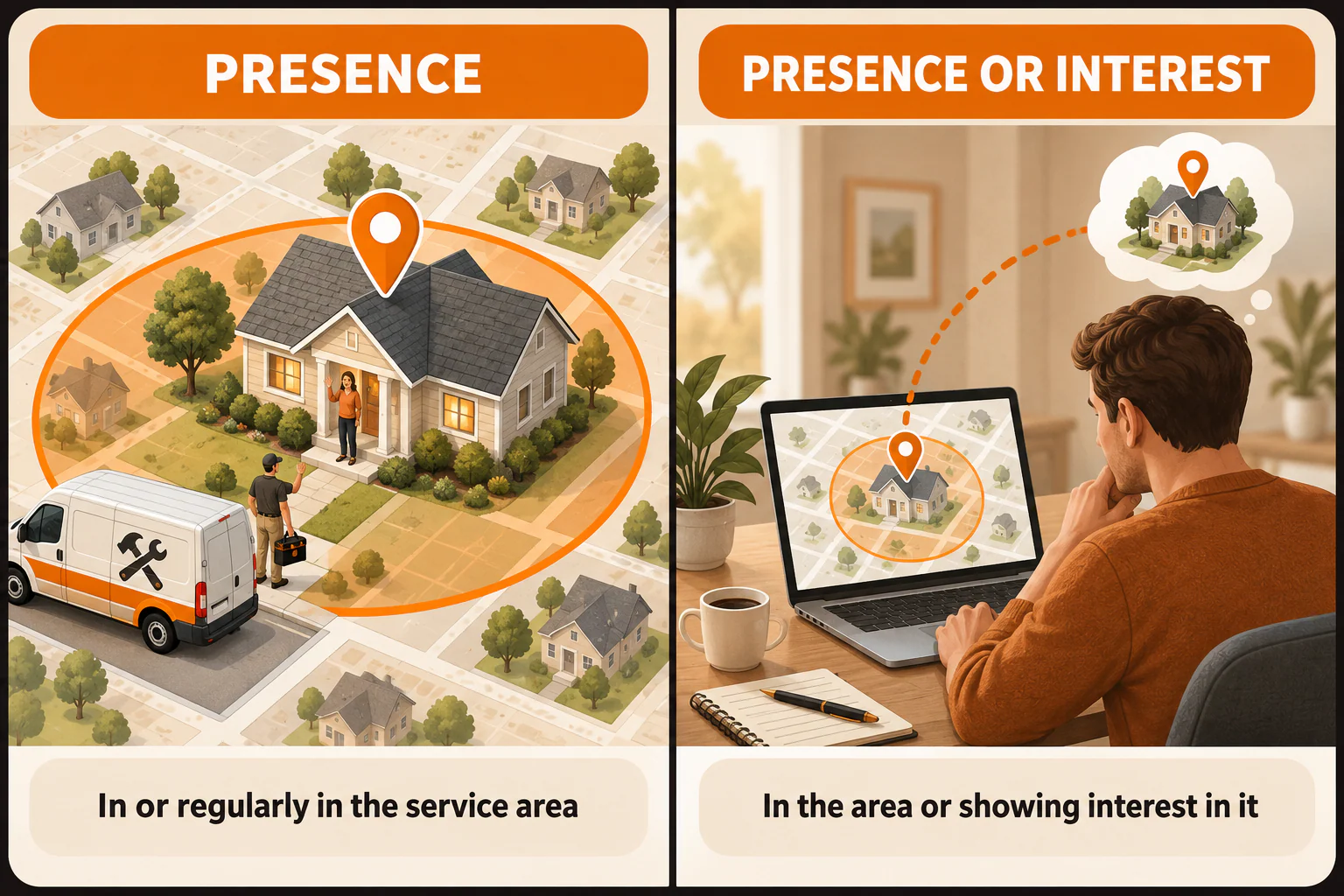
If the technician must visit a property inside the service area, Presence is usually the safer starting point. Google defines Presence around people in or regularly in the included locations, which helps minimize clicks from outside them. It is not a perfect geofence. A hotel, destination venue, relocation company, or college may have the opposite need: useful demand begins before the buyer arrives, so Presence or Interest may fit.
The owner should be able to finish one sentence: “We chose this setting because…” Everything else in the account needs the same connection to a real business constraint.
Table of Contents
Choose Presence or Interest based on where the buyer must be
| Buying situation | Sensible starting point | Reason to reconsider |
|---|---|---|
| The customer must be inside a defined service area | Presence | Test broader reach only if out-of-area searchers can become serviceable customers |
| The customer visits a physical location nearby | Presence | Broader interest may matter if people routinely plan the visit before arriving |
| The purchase is tied to future travel, relocation, education, or an event | Presence or Interest may deserve a test | Separate results from local-presence traffic so poor-fit geography stays visible |
| The campaign serves both local and pre-arrival demand | Separate campaigns or another clean test may be easier to evaluate | A blended campaign can hide which location behavior produced the inquiry |
Google uses several signals to infer location and does not guarantee perfect accuracy. Think of location targeting as a filter you monitor, not proof of where a person stood when they searched.
Now picture a company that serves the north and east sides of a metro but will not cross the state line on the west. Its record might say: included cities and ZIP codes inside the service footprint; the neighboring out-of-state county excluded; Presence selected because the property must be in the service area; and a weekly check of user locations and lead dispositions for mismatches.
Do not copy that map. A broad radius may include places your team will never drive. A city boundary may exclude nearby ZIP codes you serve every day. Tie every inclusion and exclusion to travel time, licensing, staffing, delivery limits, or another fact the business can explain. Use Google's current location-targeting instructions because the available controls vary by campaign and market.
After saving the map, compare actual inquiries with the service addresses. If several callers are across the state line, check the matched location, search term, inclusion, exclusion, and location option before declaring that targeting is broken. The person may have searched while inside the metro, mentioned the metro in the query, or been matched from an imperfect signal.
Audit conversion goals before choosing automation
Location settings cannot rescue a campaign that optimizes toward the wrong event. In Google Ads, primary conversions can guide bidding and appear in the Conversions column; secondary actions are generally used for observation, although custom goals can change that behavior. Google's primary and secondary conversion guidance explains the current product rules.
A contact-page view, button click, raw form, connected call, qualified inquiry, booked estimate, and accepted job are different events. For our home-services company, a connected call about an in-area property is more meaningful than a visit to the contact page. Test each important path from the ad through the page and handoff. Make sure it records once and can be reconciled with call or lead records where appropriate. The Google Ads and local SEO feedback-loop guide goes deeper on that work.
Do not expand simply because the account reports a large conversion count. Find out what the count represents first.
Confirm the campaign type and network reach
A Search campaign is built around search intent, but it can still include extra reach. Search Partners extend eligible delivery to partner inventory. Display Expansion, when available, can extend a Search campaign into Display inventory. Those are different environments, and “more traffic” is not a useful description of either.
Record which networks are active and whether you can judge their leads separately. A cautious first pass for the home-services campaign may keep the focus on Search, then evaluate partner or Display reach as its own decision. If the campaign type itself is unclear, compare Search and Performance Max for local leads before changing geography.
Automation also needs a trustworthy goal. Before choosing a bid strategy, know what the primary conversions mean, whether the tracking works, how the business identifies a useful lead, and what an accepted lead or booked job is worth. The campaign should not optimize confidently toward raw forms if many come from outside the area or ask for work the company does not provide. This guide to automated bidding explains the tradeoffs.
Budget language matters too. In many campaigns the number entered is an average daily budget, not a fixed ceiling. Google says a day may spend up to twice the average while the monthly charging limit generally uses 30.4 times that number; review the current budget documentation and its exceptions. Write down both the average and the monthly amount the business is prepared to fund.
Check schedule, devices, and response capacity
Run ads when the business can handle what happens next. After-hours delivery may make sense when someone answers or a tested workflow captures the lead. If every evening caller reaches an unmonitored voicemail, the schedule and the response process need a conversation.
Do not exclude mobile because its clicks look expensive or desktop because it produces fewer forms. Compare qualified outcomes. Device adjustments depend on the bidding strategy; Google's device guidance notes that a supported minus-100-percent adjustment removes that device from eligibility. That deserves evidence, not a generic preference.
Keep audiences separate from geography. Presence and Presence or Interest describe a person's relationship to the included location. Audience Observation and Targeting control something else. Observation can add reporting without narrowing Search reach; Targeting restricts eligibility to the selected segment. Check Google's Targeting and Observation guidance, then write down why any restriction exists.
Review language, brand controls, and URL tracking
These settings come after the basic service-area and conversion decisions, but they still affect delivery and measurement.
Language status
Google announced that Search language settings are being removed beginning in September 2026 and matching will rely on ad language. Check what the live account shows instead of building a process around a disappearing toggle.
Brand controls
Eligible Search campaigns can use brand inclusions or exclusions. Record what the control is meant to do and how that choice supports the campaign's job.
URL tracking
A final URL suffix or tracking template can carry campaign information to the site, but neither proves the attribution is accurate. Redirects, consent, analytics, call tracking, and the lead system still have to preserve and interpret the data. Document the parameters, where they are set, and one click path you tested. Google's tracking-template hierarchy can help when levels conflict.
Verify delivery with a feedback loop
Saved settings tell you what the campaign is supposed to do. Recent search terms, user locations, recorded conversions, and lead outcomes tell you what actually happened. Review them weekly after launch or a major change, then move to a cadence that fits the spend and lead volume.
Check sooner when tracking breaks or spend moves quickly. Correct settings are a starting condition, not a promise of more leads, lower costs, or better revenue.
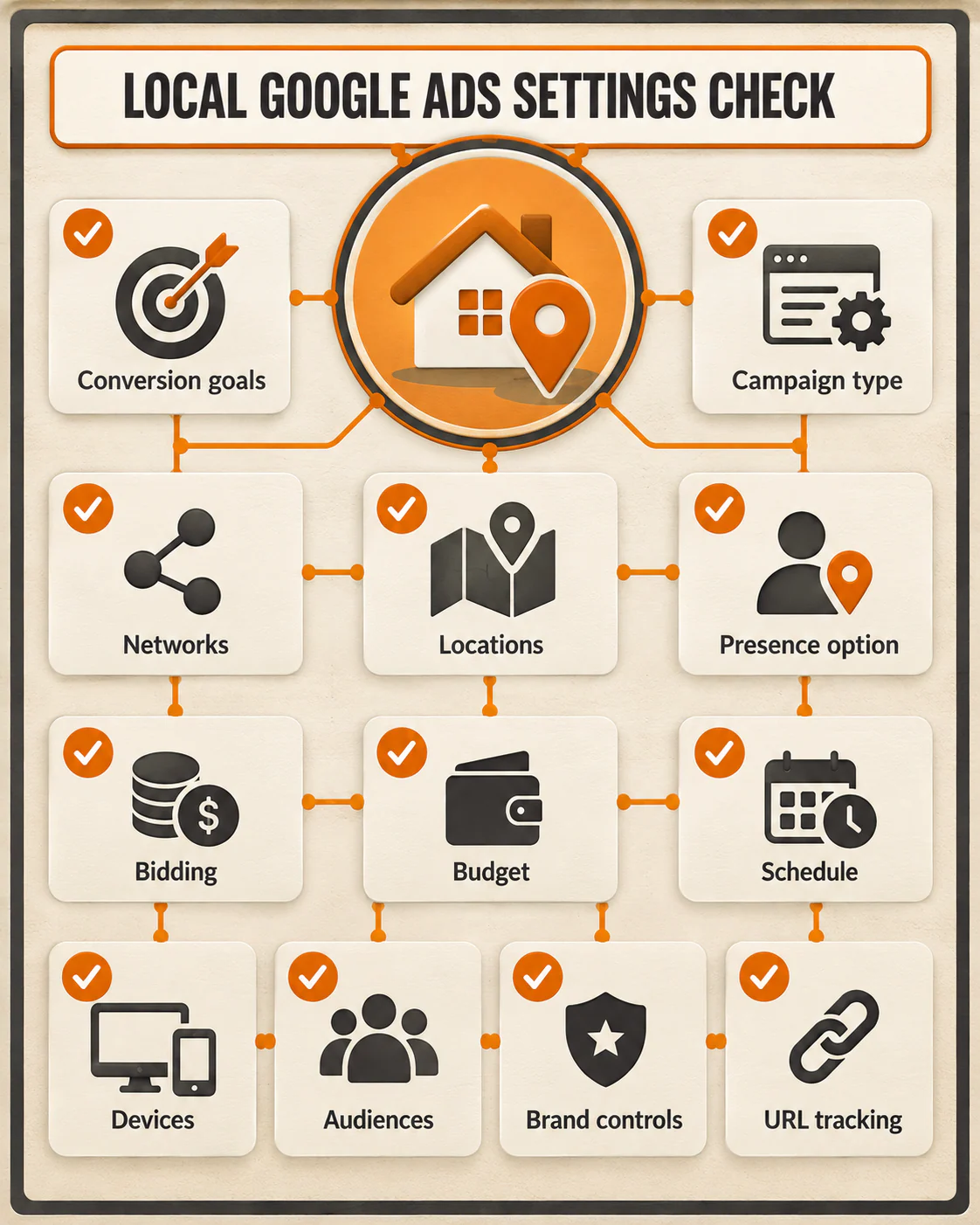
A 15-minute campaign settings checklist
- Confirm whether the customer must be in or regularly in the service area, or whether pre-arrival interest is useful.
- Check included and excluded locations against the area the business can actually serve.
- Verify which conversion actions guide bidding and test each important tracking path.
- Record the campaign type and any Search Partner or Display reach.
- Match bidding and budget to conversion data the business trusts.
- Compare the ad schedule and device delivery with the team's response capacity.
- Keep audience restrictions separate from location controls.
- Review the live language, brand, URL, and tracking settings.
- Compare recent search terms, user locations, conversions, and lead outcomes with the saved settings.
The most useful note connects a setting to a constraint. “Presence because we serve this metro” gives you something to verify. “Presence because someone online said it is best” does not.
If the settings look right but the campaign still brings poor-fit inquiries, YEAH! Local can audit the campaign and lead path. Bring the checklist, conversion definitions, and recent lead dispositions so the conversation starts with the business you actually serve.
Last updated