
Key Takeaway
Turn your local business website into a qualified-lead system by fixing the offer, pages, proof, contact paths, tracking, and follow-up.
Your website is the headquarters of your online marketing. It becomes a working lead system only when every handoff works.
A site can look polished, get traffic, and collect form submissions while still sending the business spam, wrong-service calls, and inquiries from outside its service area. Those numbers may fill a report. They do not necessarily fill the schedule.
The useful goal is a qualified inquiry: a real person in the right area who needs a service you provide, fits the job, and can take the next step. To generate more of those from your website, connect the entire path:
Right visitor → right service page → clear offer and proof → usable call, form, or booking option → verified routing → qualified outcome
Do not start by redesigning the entire site. Pick one important service and audit that path from beginning to end. You will learn more from one completed test than from a week spent debating button colors.
1. Define a qualified lead before changing the website
"Get more leads" is too vague to guide a website decision. Before touching the page, write down what a useful inquiry looks like for the business.
For one service, define:
- The service the prospect needs
- The cities, ZIP codes, or service radius you cover
- The kinds of jobs you accept
- Any minimum job size, property type, timing, or capacity limits
- The action you want a qualified prospect to take
- The reasons an inquiry would be disqualified
Defining it is not glamorous, but it stops you from optimizing for the wrong number.
Suppose an HVAC company receives 40 calls. If half are job seekers, parts requests, or people outside the service area, "40 calls" is not an honest picture of demand. Call volume and lead quality are different things. The same goes for form fills and appointment requests.
If the offer itself is fuzzy, fix that first. This guide to getting more qualified leads by clarifying your offer will help you define who the service is for, what problem it solves, and why a prospect should care.
Checkpoint: You can describe a qualified lead in one or two sentences, and everyone who handles inquiries would classify the same example the same way.
2. Match one page to one service decision
Your homepage has a broad job. It should quickly tell a visitor:
- What you do
- Who you help
- Where you work
- Why the business is credible
- What the visitor should do next
Service pages need to be more specific. Build them around real services, locations, and customer decisions, not an arbitrary page quota.
Think about an auto shop. Someone searching for tires should not have to dig through paragraphs about mufflers and brakes to find out whether the shop sells the tire they need. A focused tire page can explain the available service, area served, useful proof, common questions, and the next step. The muffler page can do its own job.
That does not mean creating a thin page for every keyword variation. It means giving each genuinely different service decision enough room to be understood.
The call to action should follow the same logic. A service page might invite the visitor to request an estimate. A pricing explainer might lead to a qualification form. A troubleshooting article might point to a related service or another guide. "Contact us" everywhere is technically a next step, but it is rarely a helpful one by itself.
Content can support this path when it answers the questions people ask before hiring. Useful topic prompts include:
- What problem does this service solve?
- When does the problem require professional help?
- What options or tradeoffs should a customer understand?
- What makes a prospect a good or poor fit for this service?
Then connect the article to the relevant service or decision. Publishing content without a useful next step creates reading, not necessarily inquiries.
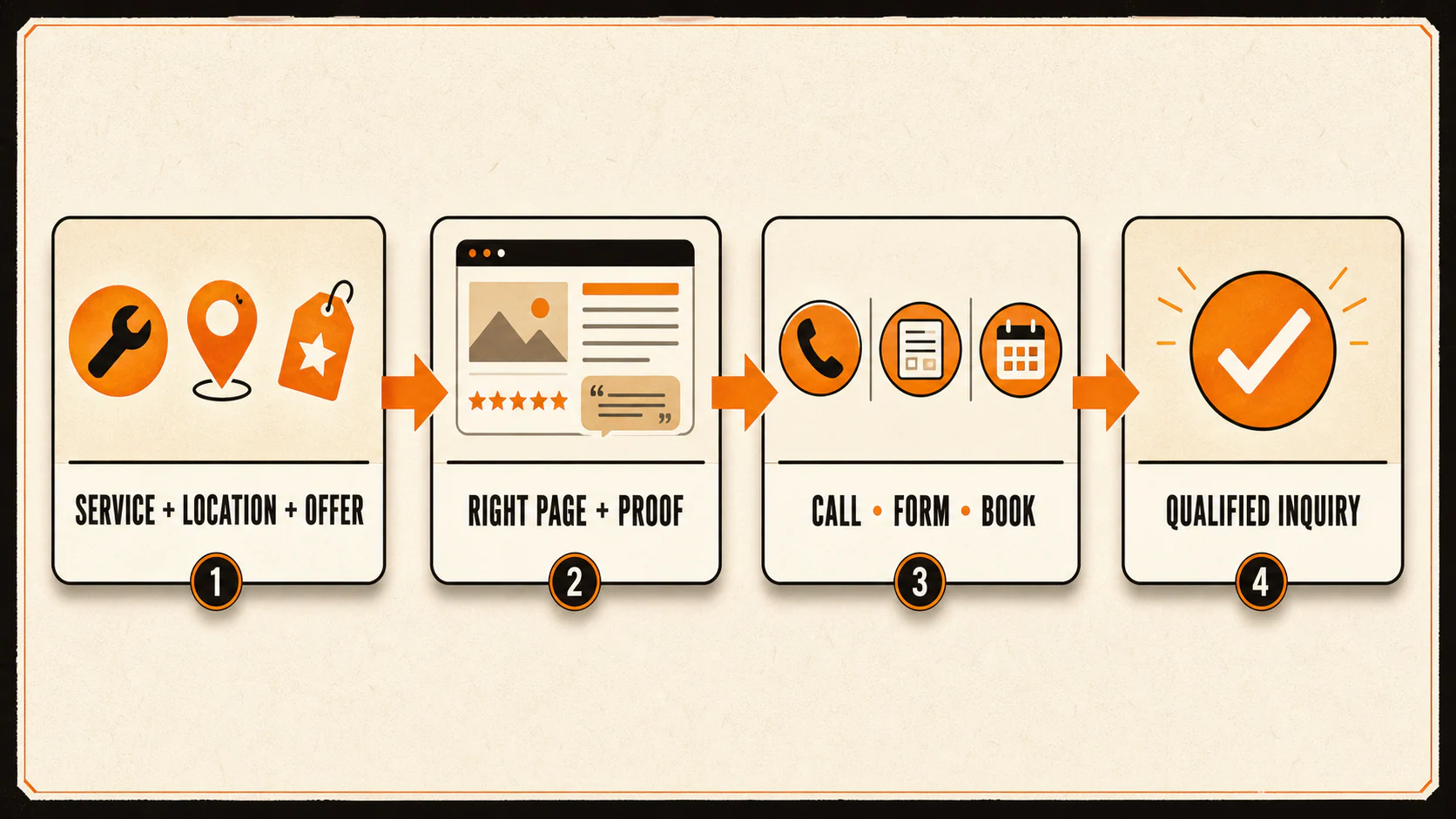
Checkpoint: A visitor landing directly on the page can identify the service, location, fit, and next action without returning to the homepage for basic context.
3. Make the offer and proof carry the page
A lead-generating page should not make the visitor assemble the offer from scattered clues. State the practical outcome, who it is for, how the process works, and what happens after the visitor reaches out.
Compare these two calls to action:
- "Contact us"
- "Request an insulation estimate for your Atlanta-area home"
The second is not clever. Good. It tells the right visitor what they are requesting and gives the wrong visitor a chance to self-select out.
Proof should be just as specific. Use real reviews, credentials, project details, process photos, warranties, or other evidence the business can substantiate. A generic "we are the best" badge is decoration wearing a tie.
Keep the proof truthful. The FTC's reviews and testimonials guidance makes an important boundary clear: fake or false testimonials on a business website can create liability. Do not invent a quote, distort what a customer said, or present a result as typical when you cannot support that framing.
Checkpoint: Every material trust claim on the page can be tied to a real record, person, policy, credential, or completed piece of work.
4. Give visitors a contact path they can actually use
Phone calls, forms, and online booking solve different problems. Offer the paths the business can support operationally, and make them easy to find on mobile and desktop.
A visitor with an urgent plumbing problem may call. Someone comparing a larger remodeling project may prefer a form. A patient or client choosing a time-sensitive appointment may expect to see current availability before submitting anything. The website should respect those differences instead of forcing every visitor through the same tiny doorway.
Build forms around the next operational step
The old advice to use the fewest possible form fields is incomplete. A two-field form can be easy to submit and useless to the person who receives it. A longer form can qualify the job but create unnecessary friction or collect information the business should not hold.
Ask for what the team genuinely needs to take the next step. That might include:
- Name and a reliable contact method
- Service needed
- Service location
- A short description of the problem
- Timing or urgency, when it changes routing
- One or two fit questions that prevent predictable dead ends
Then make the form understandable. The W3C's accessible-form guidance recommends clear labels, instructions, validation, and feedback. If a field fails, identify the field and explain how to correct it. If the form succeeds, show a real confirmation and explain what happens next. A spinning icon that disappears is not a satisfying handoff.
Collecting less data also reduces what the business has to protect. The FTC's personal-information guidance for businesses advises keeping only what is needed, limiting access, protecting retained information, and disposing of it appropriately. That is a practical risk-management rule, not a complete legal review. Regulated industries and consent-dependent calls, texts, or emails may require additional advice.
Checkpoint: Submit the form on a phone. Trigger an error on purpose, correct it, submit successfully, and confirm the visitor sees an accurate next-step message.
5. Remove the usability problems that interrupt intent
User experience lets a ready prospect complete the action the page promises. Check the basics:
- The navigation prioritizes useful service and contact destinations
- Headings let visitors scan without reading every paragraph
- Text is readable, with enough whitespace to separate ideas
- Images explain the service or process instead of filling empty space
- Internal links help visitors answer the next question
- Phone numbers and buttons work on touchscreens
- Forms fit the screen and do not hide fields behind overlays
- The page loads without large elements jumping around
Google's current Core Web Vitals guidance describes good experience targets as Largest Contentful Paint within 2.5 seconds, Interaction to Next Paint under 200 milliseconds, and Cumulative Layout Shift under 0.1. Treat those as experience checks, not promises of leads or rankings.
If design and search decisions are fighting each other, read how to make web design and SEO work together. A useful page needs to be discoverable and usable. Sacrificing either one creates a different problem.
Checkpoint: Complete the path on a phone and a desktop without zooming, hunting through menus, or recovering from a blocked button or form.
6. Track a real completion, then test the route
This is where a lot of lead reporting gets slippery.
A click on "Submit" is not the same as a successful form submission. A tap on a phone number is not the same as a connected call. A completed booking is not automatically a qualified opportunity. Measure each stage for what it actually proves.
Google Analytics lists generate_lead as a recommended event for actions such as a form-generated lead. But the event name does not define qualification for your business. It only records the interaction you configure.
Use the Google Analytics event guidance to verify events in Realtime or DebugView where appropriate, then test the operational route too:
- Submit the form, make a call, or complete a test booking.
- Confirm the visitor reaches the correct success state.
- Verify the analytics event fires once, not zero times and not three.
- Check that the notification or record reaches the intended inbox, phone, calendar, or CRM.
- Confirm the source and campaign information are captured as expected.
- Make sure the assigned person can see enough context to respond.
- Mark the test record clearly and remove it from business reporting where appropriate.
For phone leads, tracking the call is only the beginning. This guide explains why bad calls can look good in lead reports until someone reviews the conversation.
Checkpoint: One test inquiry travels from the public page to the correct owner, appears once in measurement, and can be classified against the qualified-lead definition from step one.
7. Route, qualify, and close the feedback loop
The website does not stop working when the form says "Thank you." Someone has to own the inquiry.
Document:
- Where each contact method goes
- Who is responsible for the first response
- What happens when that person is unavailable
- How the team records the source and outcome
- Which qualification and disqualification reasons it uses
- When the page owner reviews recurring problems
Do not borrow a universal response-time promise from another business. Choose a standard the team can meet, tell prospects what to expect, and verify the process. If the website promises "We will call within 15 minutes" but the inbox is checked twice a day, the copy is creating a customer-service problem.
The classification reasons matter because they tell you what to fix. "Not a lead" is too blunt. Record useful reasons such as wrong service, outside area, spam, budget mismatch, timing, no capacity, unreachable prospect, or poor sales handling.
Then feed those patterns back into the system:
- Wrong-service inquiries may point to vague copy or targeting.
- Outside-area calls may require clearer location language.
- Repeated price mismatch may call for better expectation-setting.
- Unreachable prospects may expose a form, phone, or follow-up problem.
- Qualified inquiries that do not book may require changes after the website handoff.
The website is one link in the chain. Blaming it for every lost sale is as unhelpful as giving it credit for every form fill.
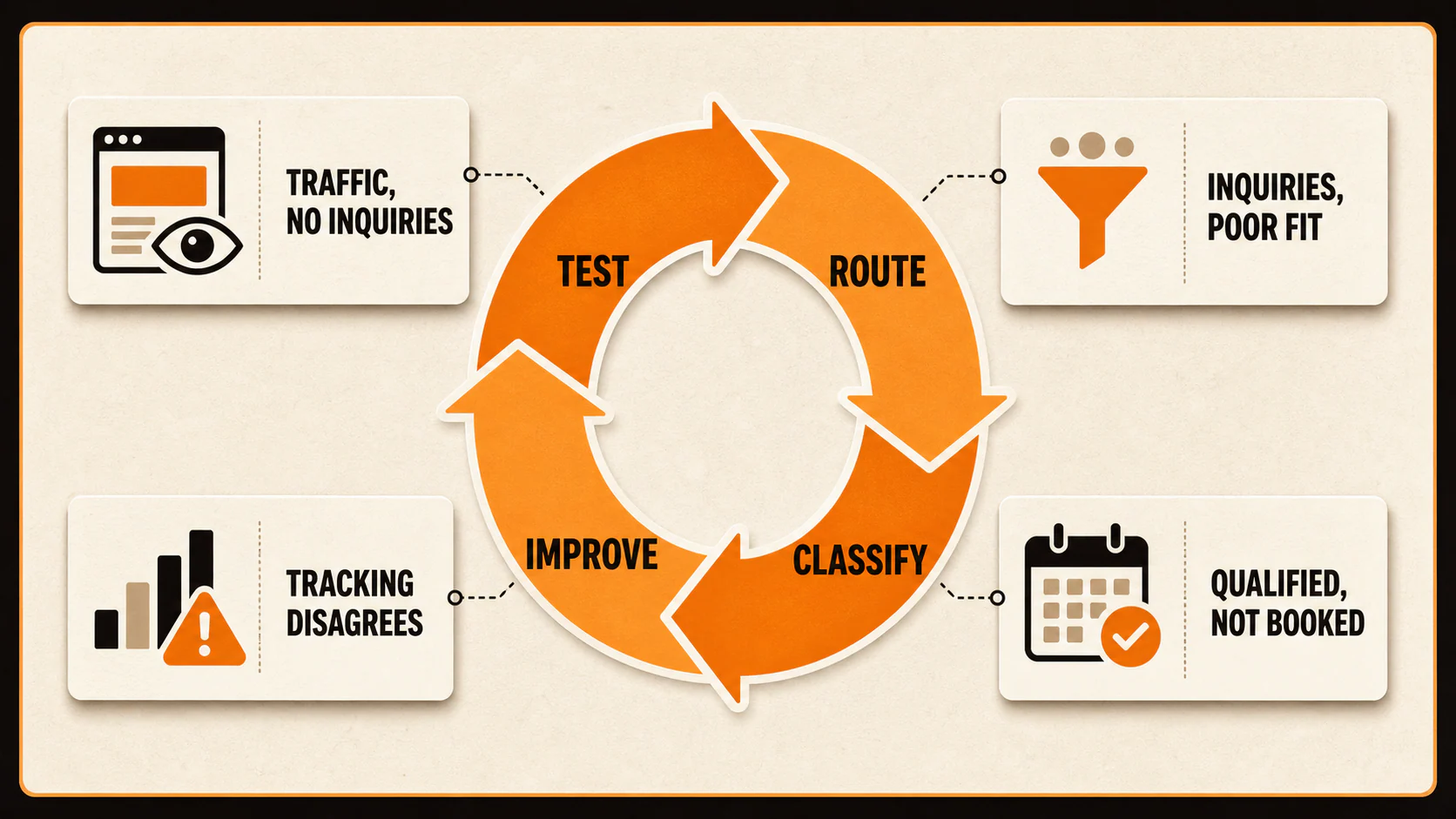
Diagnose the weak link instead of guessing
Use the symptom to narrow the next investigation.
| What you see | What to inspect next |
|---|---|
| Traffic but few inquiries | Search intent, offer clarity, proof, page focus, CTA relevance, form/call friction |
| Inquiries but few qualified leads | Targeting, service and location language, fit expectations, spam controls, qualifying fields |
| Qualified leads but few bookings | Routing, availability, response process, sales handling, price expectations, offer fit |
| Reports disagree with reality | Event triggers, duplicate events, call quality, spam, CRM stages, qualification definitions |
These are investigation paths, not automatic diagnoses. Demand, seasonality, visibility, ad targeting, tracking, follow-up, capacity, and sales handling can all affect the outcome. Change the page after you identify the part of the path that is actually failing.
Audit one complete path before buying more traffic
Pick one important service and complete this checklist:
- Define the qualified lead and common disqualifiers.
- Confirm the page clearly states the service, location, offer, proof, and next action.
- Check that the call, form, or booking path works on phone and desktop.
- Verify errors and success messages are understandable.
- Confirm the inquiry reaches the right owner.
- Verify analytics records the real completion once.
- Classify the test inquiry using the same rules the team will use.
- Review real inquiry outcomes and fix the weakest part of the path.
That is how a website becomes a lead-generating system: not through one clever headline, but by making the entire trip from visitor intent to business response clear and testable.
If search visibility or service-page strategy is the weak link, learn how YEAH! Local approaches SEO for local service businesses. If you need help auditing the whole path, contact YEAH! Local and bring one service, one page, and a few real lead outcomes to review.
Last updated