
Key Takeaway
Not sure whether to improve a service page or publish another post? Use this local SEO decision guide to match the page to the searcher's job.
It is Tuesday again. The content calendar wants another blog post.
Meanwhile, the page for the service you actually want to sell may still leave a prospective customer guessing. Do you offer this? Do you serve my area? Why should I trust you? What happens after I click "Contact us"?
That is the blog trap.
Blogs have a real job. They can answer questions, explain a complicated service, and help someone research a decision. They cannot fill the gaps on a service page that leaves out the offer, local fit, proof, objections, or next step.
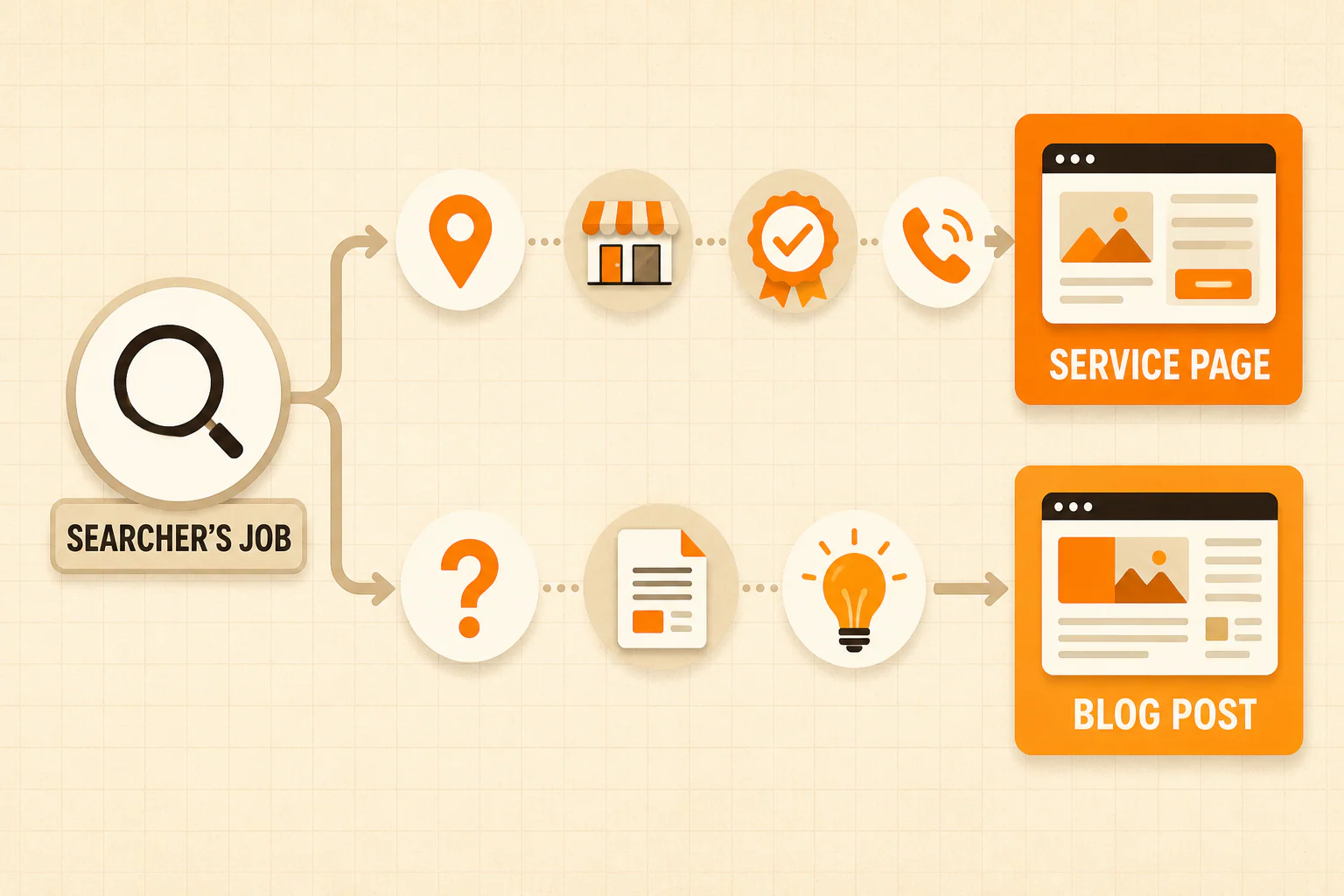
Choose the page type by the searcher's job:
- If the searcher wants to find, compare, or contact a provider, inspect the relevant service or location page first.
- If the searcher has a distinct how, why, or what question, a blog post may be the right answer.
- If the intent is mixed, choose one primary page for the main job and use supporting content for narrower questions.
When the core page is weak, fix the destination before publishing another road that leads to it.
Table of Contents
The 60-second service page or blog post decision
Start with one query or topic. Set the publishing quota aside for a minute and ask what the person wants to accomplish.
| The searcher's job | Page to inspect first | Example |
|---|---|---|
| Find or evaluate a provider | Service page | "attic insulation company near me" |
| Confirm that a service is available in an area | Service or legitimate location page | "home care in College Park" |
| Understand a service before considering it | Blog post or guide | "how does spray foam insulation work" |
| Compare approaches or solve a specific problem | Blog post or guide | "spray foam vs blown-in insulation" |
| Take the next step with the business | Service, booking, or contact page | "schedule a concierge medicine consultation" |
This is a working decision, not a Google formula. Search intent can be messy. A cost question may come from someone researching the service, comparing providers, or preparing to book. Look at the query, the current results, and the decision the page needs to support.
Google's people-first content guidance offers a useful check. It asks whether content serves an intended audience and gives the reader enough information to achieve a goal. That standard applies to both page types.
Fix the service page first when the destination is the problem
A person can want the exact service you sell, land on the right page, and still leave without knowing whether you serve them, what happens next, or what supports your claims. The missing information belongs on that decision page.
Use these five checks to find it.
1. The offer is clear
The page should name the service in language a customer understands. "Solutions," "care options," and "quality services" can mean almost anything.
Explain what the service includes, who it is for, and what problem it addresses. If several services have different processes or customers, one catch-all page may force visitors to dig for basic information.
This is where clarifying the offer matters. A form submission from someone who needs a different service or lives outside the service area is not automatically a good inquiry.
2. The local fit is honest and useful
A local customer needs to know whether the service is available where they live or work. State the service area accurately. Add local details when they help someone decide, such as scheduling boundaries, property types, travel limits, or a genuine local process.
Repeating a city name twelve times adds repetition, not local expertise.
3. The proof matches the claim
Use proof the business can substantiate. Depending on the service and the claim, that may include relevant credentials, real reviews, project photos, documented examples, named team expertise, or a clear process.
Do not invent a case study because the layout has a box labeled "Success Story." Remove the box when the evidence does not exist, or replace it with information the business can support.
4. The page handles real objections
Put important buyer questions where the buyer is deciding. Depending on the service, those questions may cover cost factors, timing, eligibility, materials, service limits, what happens during the first visit, or what the customer needs to do beforehand.
A supporting article can explain a complicated issue in depth. The service page still needs enough context for the reader to decide whether to continue.
5. The next step is specific
"Learn more" is not much of a next step when the visitor just finished learning more.
Name the action and what follows. The next step might be requesting an estimate, checking availability, scheduling a consultation, or calling to discuss the job. It should match the way the business actually operates.
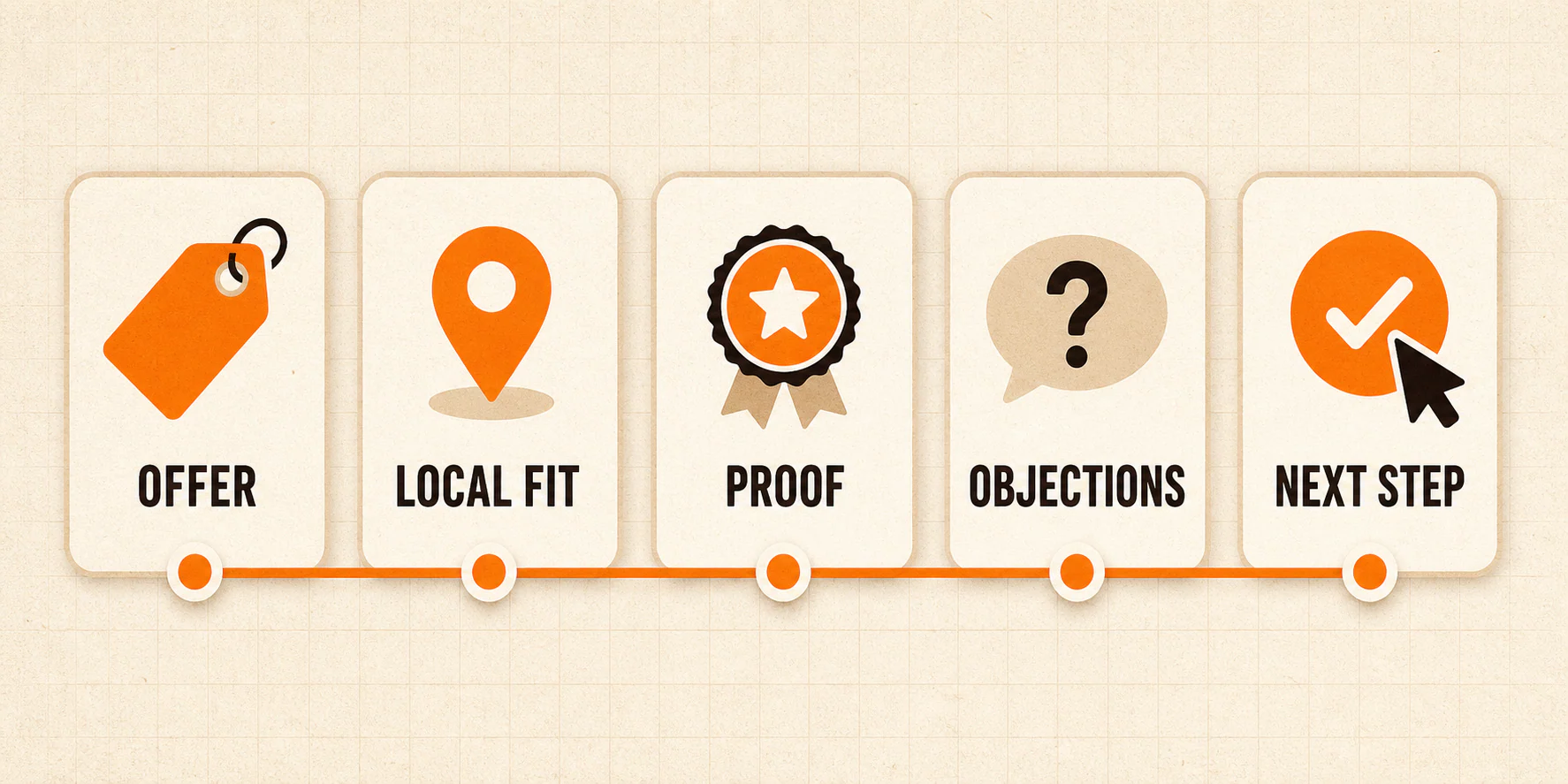
Fail one check and you have a concrete edit. Fail all five and Tuesday's blog post can wait.
Write the blog post next when the question deserves its own answer
A blog post earns its URL when it handles a real question that would distract from the core service page or make it unwieldy.
Useful candidates include:
- a comparison that helps someone choose between two approaches;
- a detailed explanation of a process or material;
- a troubleshooting question related to the service;
- a timely change that affects customers;
- an educational topic the intended audience needs.
The post needs a job beyond "publish something this week." It should answer the question, serve the same audience as the business, and connect to the next relevant page when that connection helps the reader.
Do not force every article into a sales pitch. A useful post can simply answer the question. When a service page is the natural next stop, use an internal link that tells the reader what they will find there.
First, check whether an existing article already handles the same question. Repeating it under a new year adds clutter. Update the useful page when the topic and intent are the same.
Location pages need more than a city-name swap
A location page is a page dedicated to a service in a particular market. It can be useful when the business genuinely serves that market and has distinct information a local customer can use, such as service availability, travel or scheduling details, relevant regulations, or documented work in the area.
That is a higher bar than replacing "Alpharetta" with "Roswell" and calling it a new page.
Google's spam policies list blocks of city or region names used to manipulate rankings as keyword stuffing. The same policy describes scaled content abuse as producing many low-value or unoriginal pages primarily to influence rankings. An accurate service-area statement can help a visitor. A stack of near-duplicate pages with swapped place names may cross into spam.
Before creating a location page, ask:
- Does the business provide this service in the location?
- Is there enough distinct, useful local information to justify a separate page?
- Can the page help a customer decide without padded city references?
- Is this market a real business priority?
Weak answers point back to the core service page and its service-area information. Page count does not create local value by itself.
The website is also one part of the local picture. Accurate Google Business Profile information can complement it, but profile work will not make a confusing service page clearer.
How service pages and blog posts work together
The service page explains the offer. Supporting posts answer narrower questions someone may ask before choosing it.
For example, an insulation service page might explain the available options, inspection process, service area, proof, and estimate request. A separate article could compare spray foam and blown-in insulation in enough detail to be useful. If the reader wants an inspection or estimate, the article can point to the service page.
The link can work in both directions when it helps. The service page can send readers to the detailed comparison. The article can send ready-to-act readers back to the service page.
Treat internal links as navigation. Add one when the destination answers the next question or supports the next action. A block of unrelated links at the bottom does not become helpful because it is labeled "Related."
There is no required number of supporting posts. One thorough article may cover the question. Ten thin variations may create overlap and more pages to maintain. Build around real customer questions and business priorities, then stop when the reader's job is done.
We dealt with content overlap in our online magazine case study, where consolidating articles and organizing the archive were part of the work. That example comes from a publisher, but the need to give each page a clear job applies here too.
A 30-minute content audit
You do not need a 60-tab spreadsheet to choose the next useful edit. Start with one priority service and set a timer.
Minutes 1 to 5: choose the service and query
Pick a service the business wants to sell. Write down one realistic provider query and one educational question related to that service.
Search volume deserves a look, but business fit matters too. A page for a service the business barely offers can become an impressive monument to the wrong priority.
Minutes 6 to 10: inspect the current results
Search the provider query and the educational question. Note which page types appear and what job they seem to serve. You are checking the current search environment, not collecting a guarantee that copying a format will produce the same position.
Then find the page on your site that is supposed to answer each query. If two pages are chasing the same job, choose which one should be primary before adding another.
Minutes 11 to 20: audit the destination
Open the service page and grade it against the five checks:
- offer;
- local fit;
- proof;
- objections;
- next step.
Write down the missing information. "Needs better copy" is not an assignment. "Explain who performs the assessment and what happens after the estimate" is.
If the review exposes broader problems with navigation, page quality, or conversion paths, use a more complete website audit rather than forcing every repair into this exercise.
Minutes 21 to 25: inventory supporting content
Look for existing posts that answer the educational question. Check whether the best article is current, complete, and linked where a reader would need it.
The right move may be updating and connecting an existing post. New URLs are easy to create. A coherent site is harder and more useful.
Minutes 26 to 30: choose one action
Pick the smallest edit that removes the biggest reader obstacle:
- strengthen the current service page;
- create a legitimate location page with distinct local value;
- update an existing article;
- write a new post for an unanswered question;
- repair the path between useful pages.
Now the content task has a reason to exist. That puts it ahead of a surprising amount of content marketing.
What to measure after the change
Publishing gives you a measurement point. Proof comes later.
Track the page and query that motivated the change, using measures your setup can support. Those may include:
- organic visits from relevant queries;
- calls, forms, bookings, or estimate requests attributed to the page;
- whether those inquiries fit the service and location;
- paths where an article assists a later visit to a service page;
- query-to-page alignment in Google Search Console.
Compare a reasonable period before and after the change. Note seasonality, other marketing activity, site changes, and small samples. An increase after an edit does not prove the edit caused it. A flat result needs diagnosis before it has an explanation.
A page change does not promise rankings, calls, or revenue. It gives you a better answer for the searcher's job and a clear change you can measure.
Fix the destination before adding another road
Do not stop blogging. Stop giving a blog post the job of a service page.
A service page should explain the offer, fit, proof, objections, and next step. A blog post should answer a distinct question well. A location page should earn its URL with accurate local information. Internal links should help people move between those pages without getting lost. That is a better use of the website than feeding a calendar with disconnected posts.
If the site has plenty of content but no clear path from search to a qualified inquiry, YEAH! Local's Local Growth Engine connects page strategy, conversion paths, and lead feedback. Start with the destination the next customer needs.
Last updated